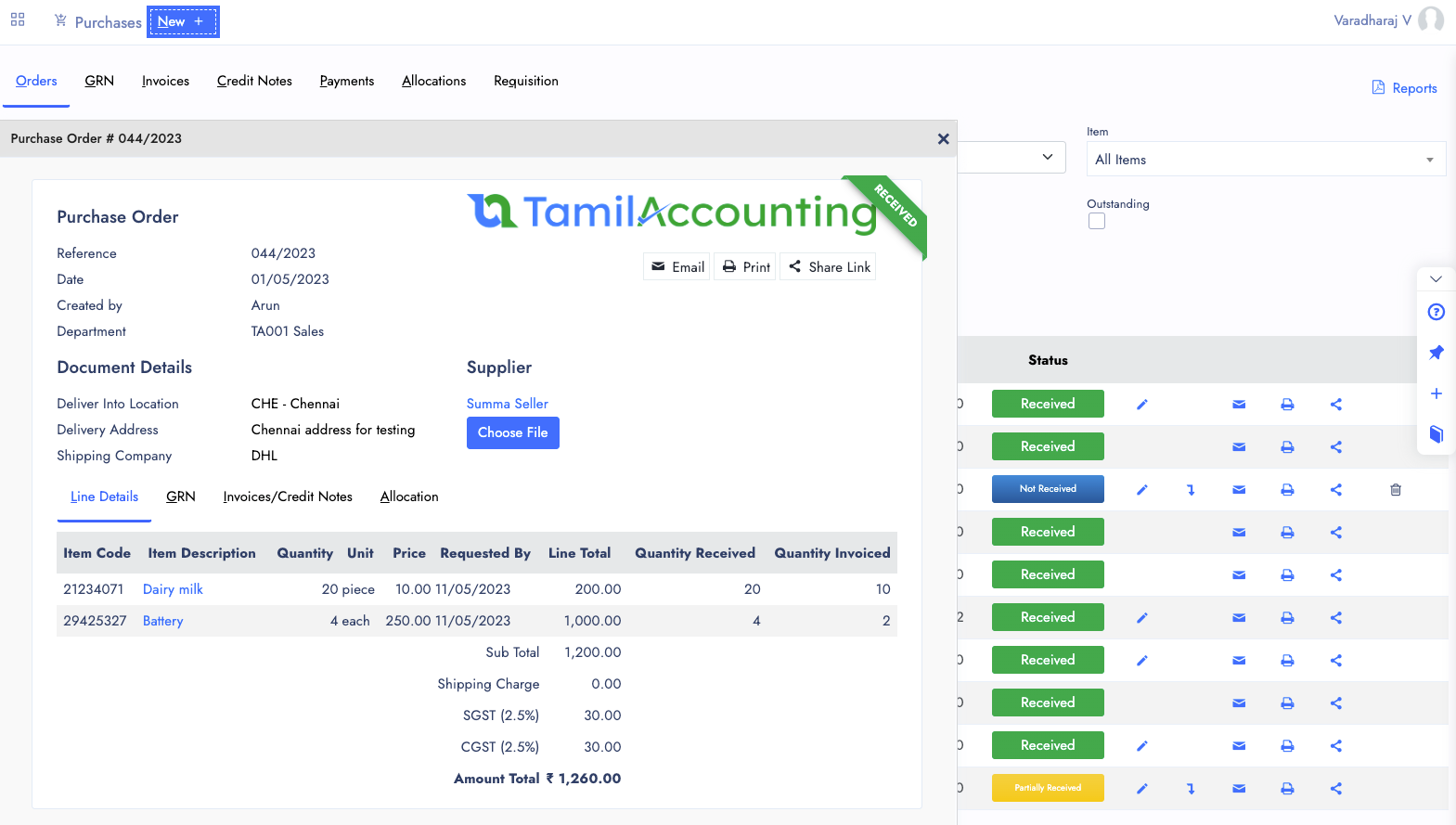
Order
Purchase Order created with New->Purchase Order form. There you are going to feed the information of supplier, and expected delivery date, Goods/Service which you need to get, and ofcourse the details of payment.
You can do Prepayment with help of Order. Or you can do the payment after the invoice.
- GRN — From Order you can make GRN to mark the received stocks/services from it.
- PrePayment — Prepayment or Downpayment can be made with it.
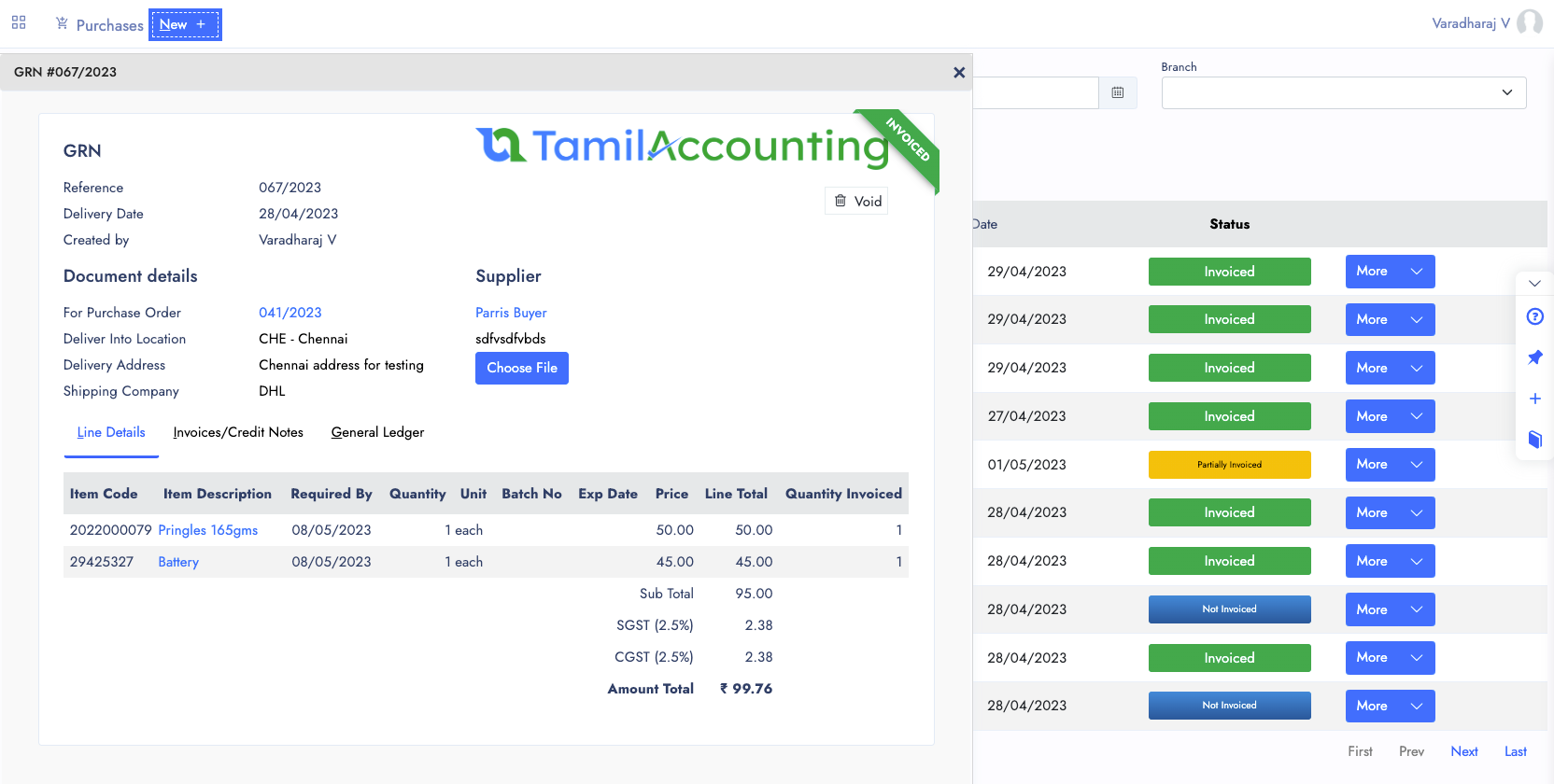
Purchase Delivery (GRN)
While the Supplier Delivered the Goods. You need to prepare the GRN from Order. You can also do the Direct GRN from the new form.
If you are receiving items along with Batch/Serial Numbers, Expiry/Warranty Date, You can input and save the GRN along with these information.
GRN Also updates your Received Items Standard cost and Purchase cost from the Supplier. Suppose if you have Landed cost add-on, you can able to input additional shipping cost to get your standard cost updated.
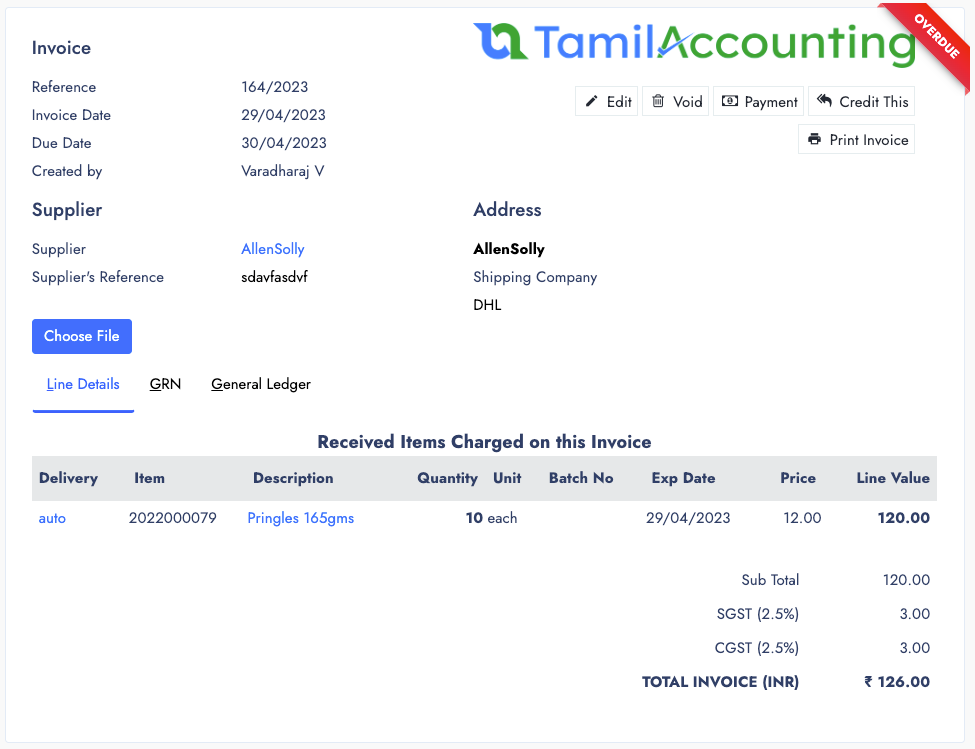
Purchase Invoice
PI comes with either delayed payment or immediate payment. You can perform Tax included or excluded Invoice.
With Direct Expense form you can create Service expenses in the purchase. Also You can use Quick entries to speed up the expense recording. With status of
- Yet to Pay
- Paid
- Partiall Paid
- Overdue
- Credited
- Voided
- Draft
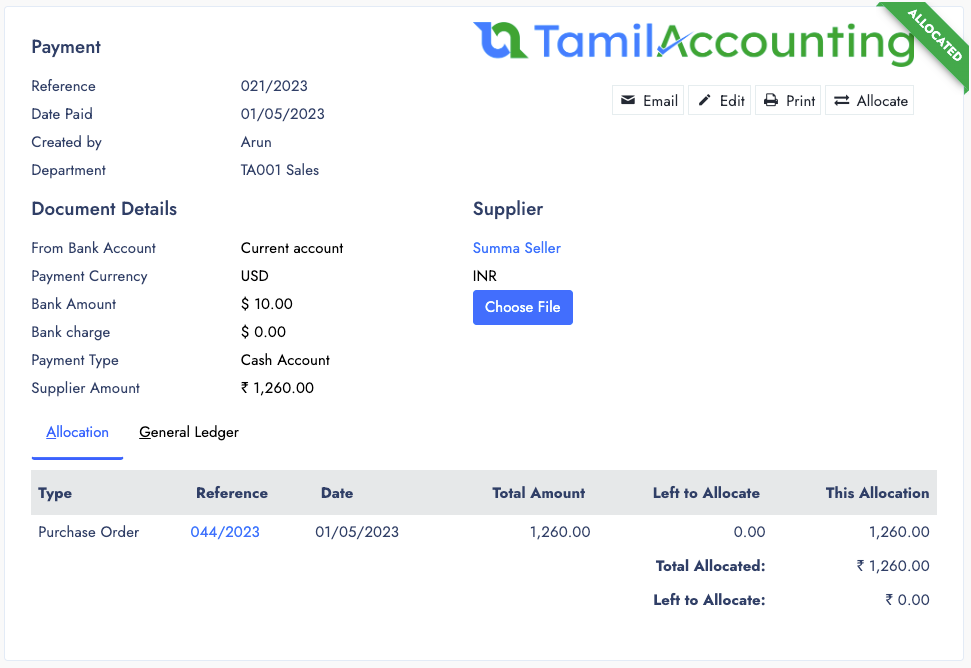
Supplier Payments
For each Invoice, we have to get payment from the customer. Either it can be one payment for multiple invoice or multiple payment for a single invoice.
Payment Allocations
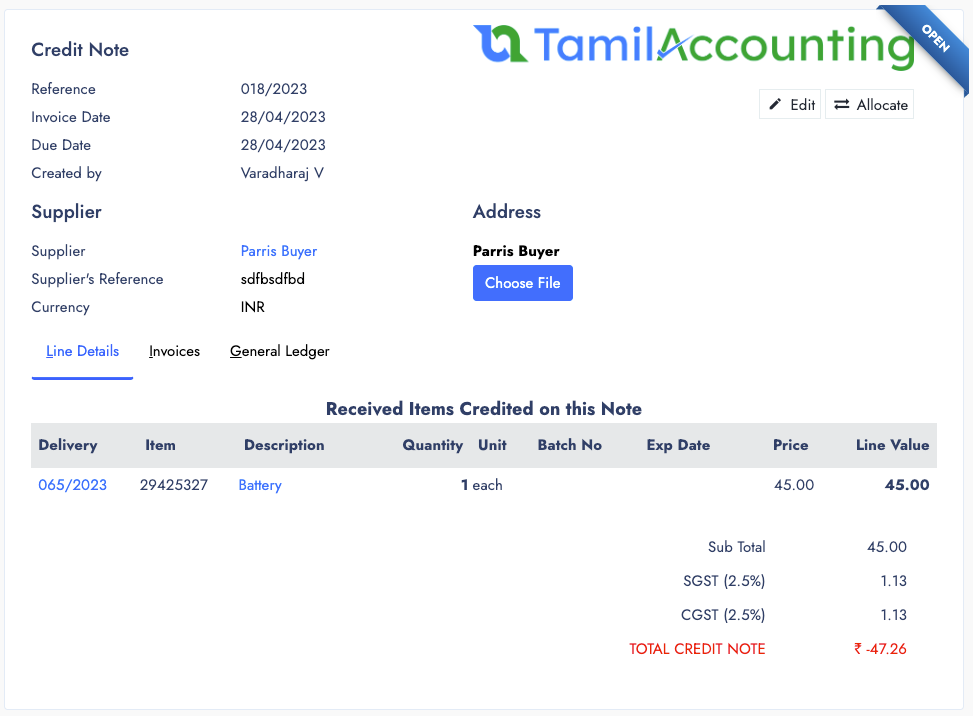
Supplier Debit Note
You can make Both Direct Delivery or Delivery from Sales order is possible. Until this transaction type, you can able to delete it. But the delivery makes Journal entry. So you can able to void it instead of deleting it.
From Delivery if your products has Batch and Expiry dates, you can choose it before make the delivery. And from Delivery you can proceed making the Invoice for the delivered quantities.
Multiple invoices are also possible from one Delivery. Delivery can also make the Journal entry for inventory account.
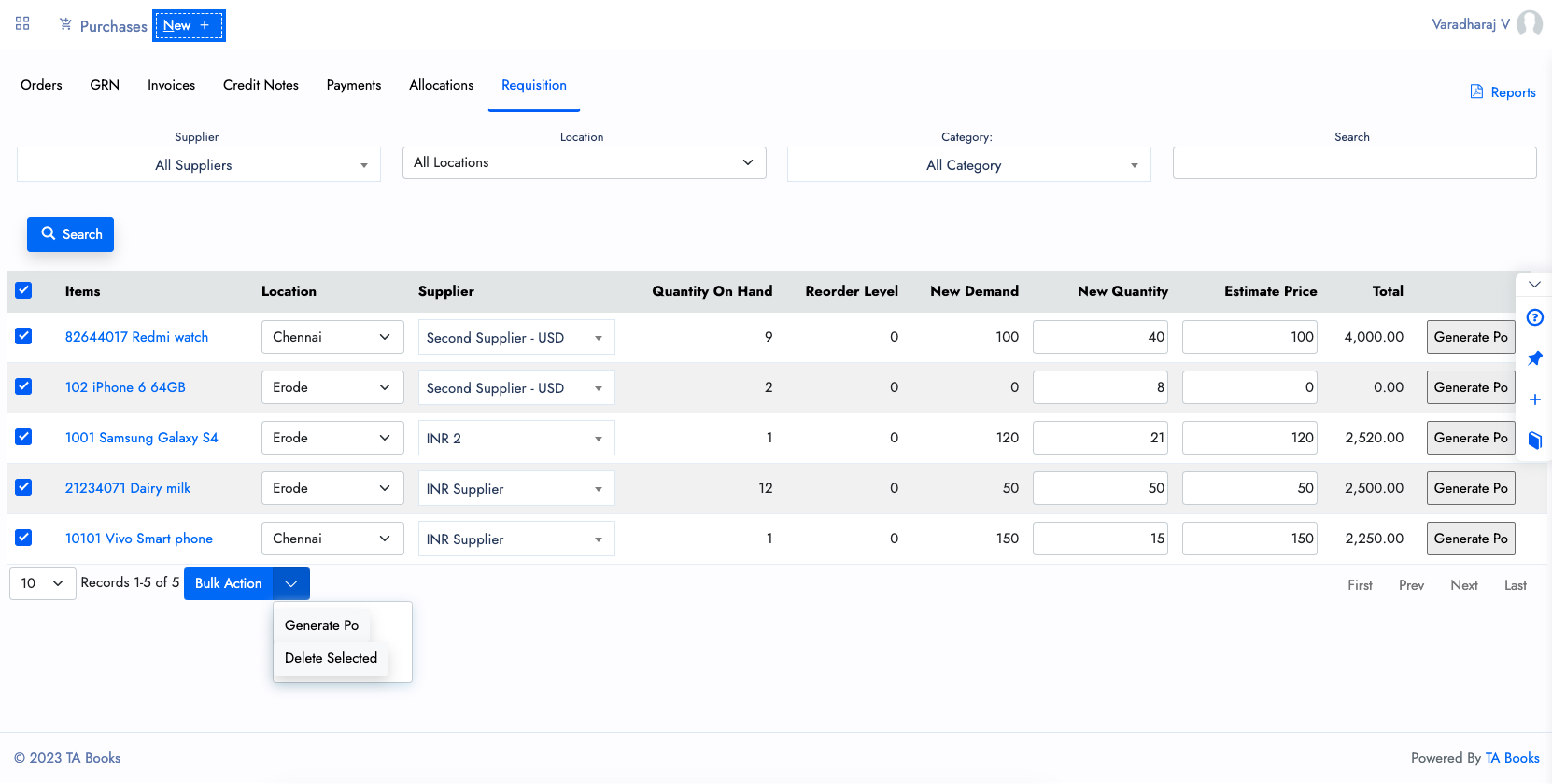
Requisition
For each Invoice, we have to get payment from the customer. Either it can be one payment for multiple invoice or multiple payment for a single invoice.
- Create Reorder levels with inventory location.
- Automatic Reorder level to Requisition entry.
- Generate Purchase order from Requisition.
Reports
Finally there are some Purchase reports to help you with purchase predictions.
- Supplier Balances
- Aged Supplier Analysis
- Supplier Trial Balance
- Outstanding GRN
- Order Summary
- Return Summary
- Payment Reports
Other Features of Purchases
Purchase Also comes with several features which helps to reduce the manual works.
Additional Extensions
Add-ons such as Landed Cost, Shipping cost calculator are also helps to decrease your calculation time and perform better.
Easy Transaction Sharing
If you share the Transaction links to open the invoice with public encrypted url. Your Suppliers can open it with that link.
Discounts & Shipping costs
There are two kind of discounts, one amount discount, and another one is percentage based discount. It will be applied to the invoice value.
Direct Expenses
While Creating Purchase invoice, most of the time you need to make the expenses and allocate payment against it.
Payment Terms
From Purchase, either you can pay directly from the bank account or put it as delayed payment. Later you can Make Payment and allocate it with invoice.
Quick Entries
There is some quick entry settings to define the regular usage expense entries, which will reduce your time to write entries, E.g Rent, EB Bill, Telephone bills, etc.
Allocations
When a payment recorded, or an invoice credited, or you can modify the allocations of invoice any time.
Drafting
Sometimes its necessary to draft some transaction entries, and which can be continued later.
All in One page
With multiple Tabs, the System designed to handle all your Purchase activity in one page. It will be easier for you to navigate and access it.
Multiple Transaction View
You can open Multiple transactions and also connected transactions from one to its connected transactions.
Attachments
Files and Support documents can be attached with it, no matter which popup or window you are viewing.
Ready to streamline your Purchases?
Join thousands of businesses across India, UAE & GCC using TA Book