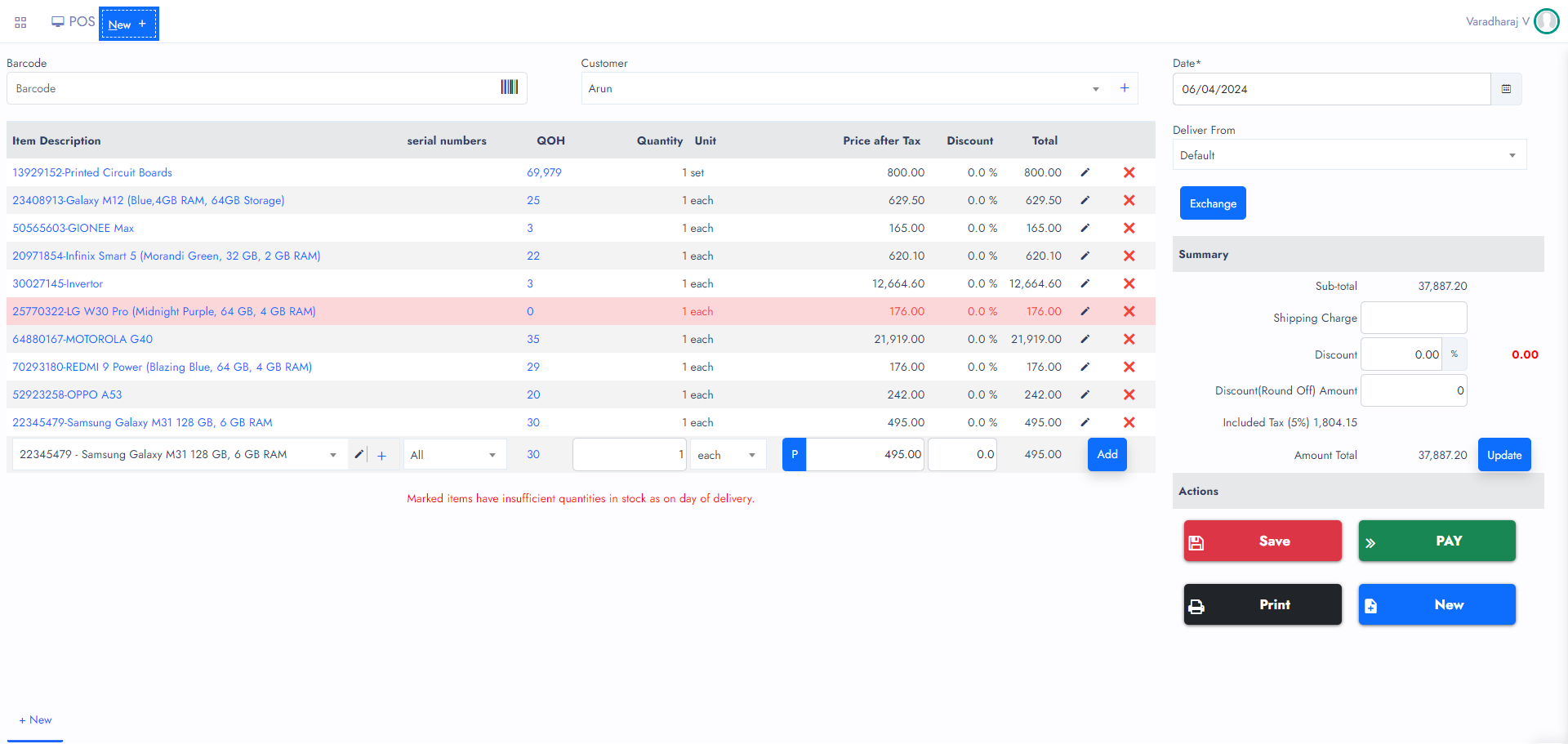
Retail POS
The Retail POS Helps to perform Transactions through Barcode scanner and drop down selection. It helps mainly to the retail sectors such as Super markets, Stores, Shops, etc.
When you have less items and Services you can use Grid POS. So you can easily tab on items from the grid listing. Whereas if you have more items and services you need to use the Retail POS to simplify jobs.
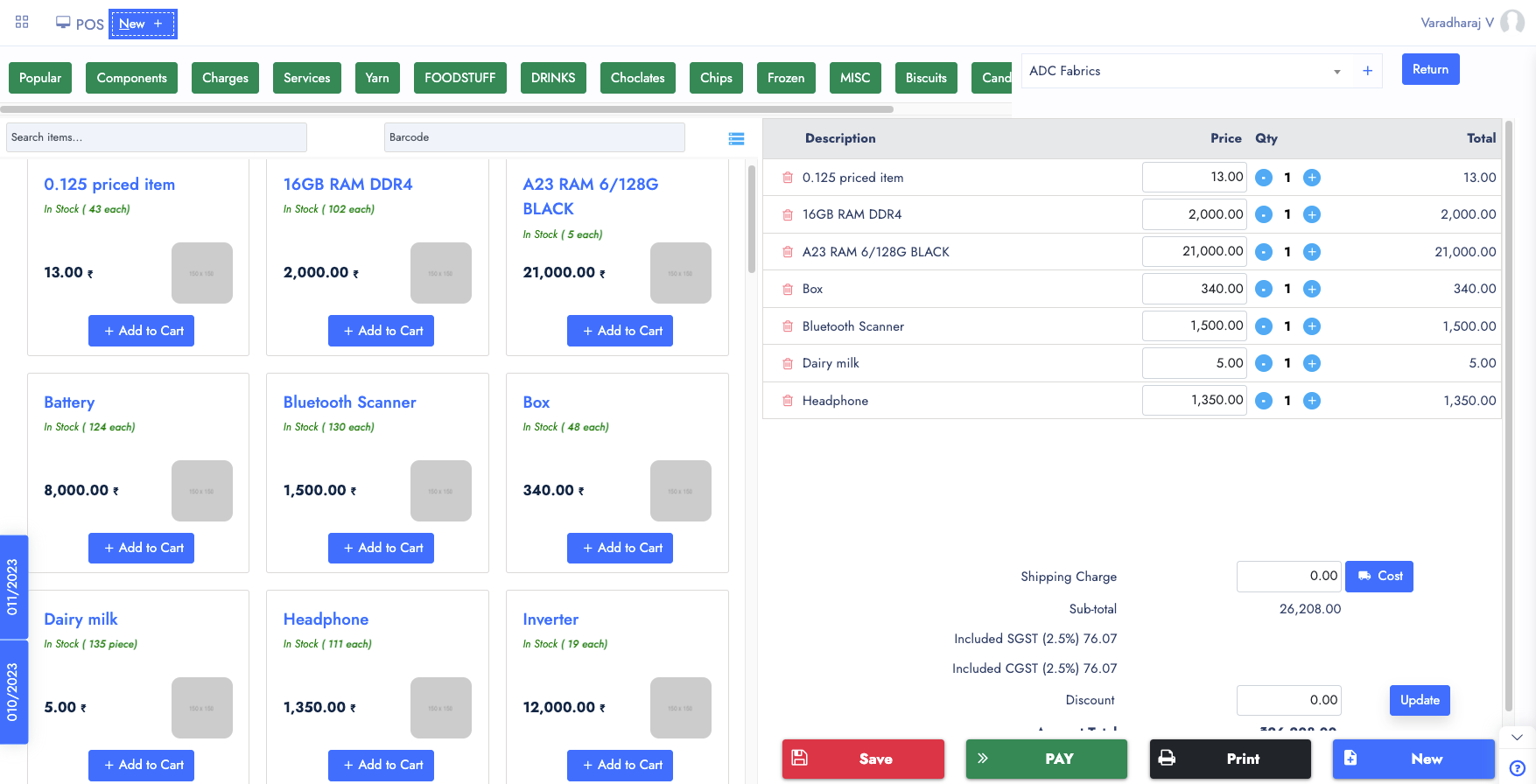
POS Screen
POS systems are used by a variety of businesses, including retail stores, restaurants, and hospitality establishments. They are essential tools for managing sales and inventory, improving customer experiences, and growing businesses.
The POS system allows retailers to track and manage sales transactions, inventory levels, and customer data in real-time. It can be used to accept various payment methods, such as cash, credit cards, and mobile payments, and to generate sales reports and other analytics.
A POS system typically includes hardware, such as a cash register, barcode scanner, and receipt printer, as well as software that manages sales transactions, inventory, and customer information.
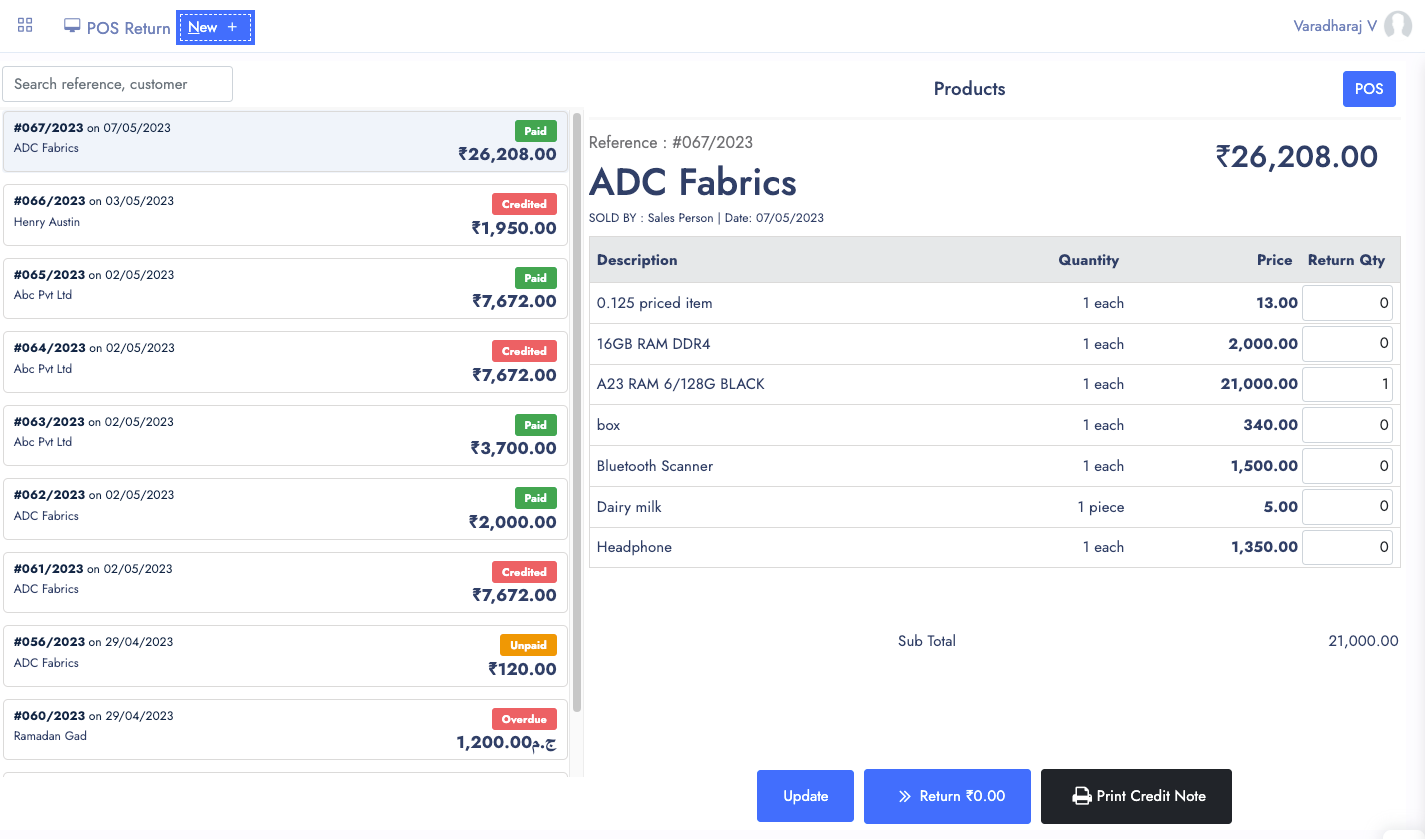
Sales Returns
Sales returns are a common occurrence in retail businesses, and managing them effectively is essential for maintaining customer satisfaction and managing inventory levels.
An efficient sales return process can help reduce the impact of returns on the business and ensure that customers receive satisfactory resolutions to their return requests.
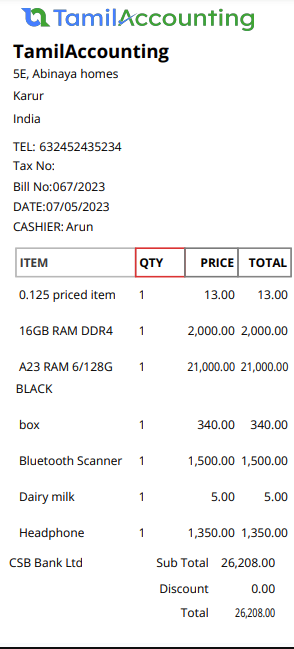
POS Receipts
POS receipts can be printed on thermal paper by a receipt printer. These receipts serve as a record of the transaction and typically include information such as the date and time of the transaction, the items purchased, the price of each item, any discounts or taxes applied, and the total amount paid.
There are various formats and sizes are available in the market, it depends on the size of the printer and printing content in it. We have option to design your own Receipt with help of our Report editor.
Thermal Receipts normally small sized paper. Usually this helps to reduce the printing time and paper.
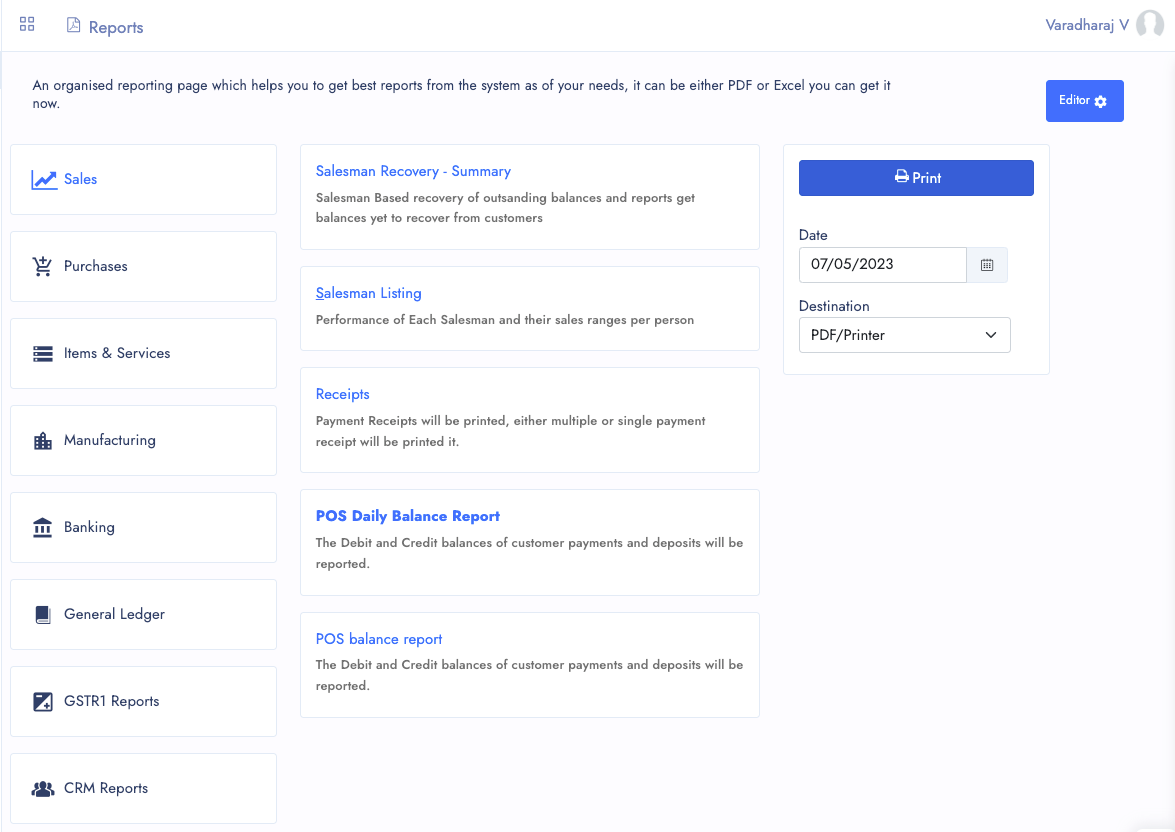
Summary Reports
As of now, We have very less number of reports avaialble for the Summary of reports. Let's take a quick look at this.
- Salesman Summary
- Daily POS Sales
- POS Balance Report
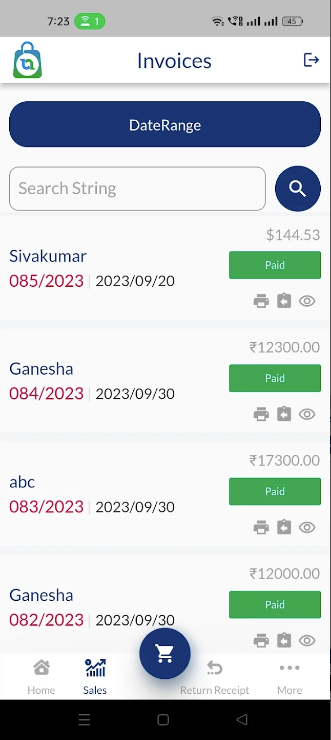
Android POS App
We have Recently Launched Android App for Point of sale. Which will help you to faster the invoicing process with help of mobile featured barcode scanner and bluetooth printer.
With this mobile POS app you can print the receipts what you have in web version. And also similar feature of Web POS you can perform in the mobile app. Works faster and helps to perform easy cart process.
You can save some orders and resume it. This operations can be resumed on both android and web POS apps.
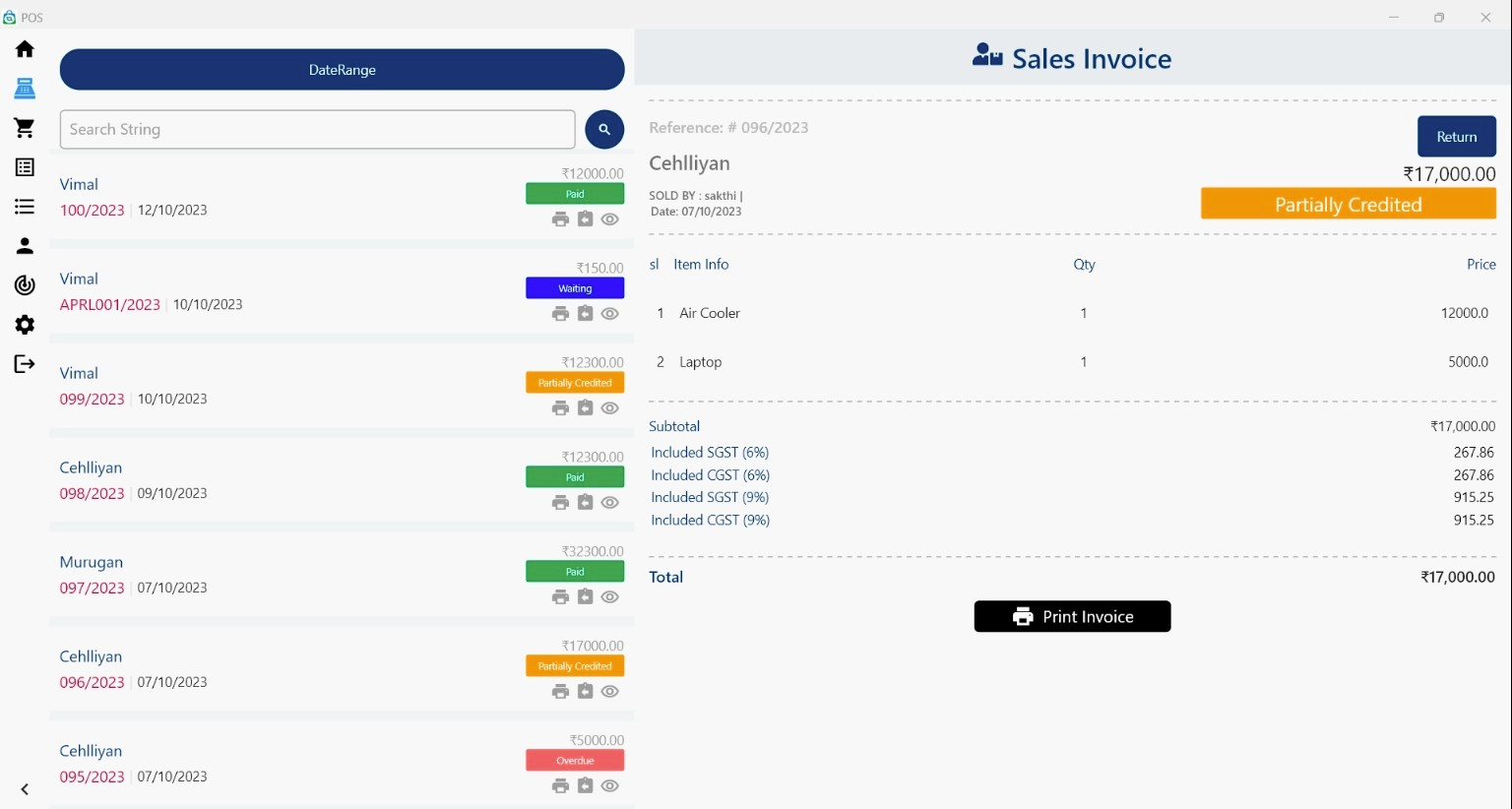
Windows POS Software
Recent New App development of windows version helps to perform the Point of sale operations easier. Helps to perform the faster Barcode scanner inputs and invoice it faster.
- Available from Windows App store
- Supports both Windows 10 and 11
- Easy installation and use
Other Features of POS
POS also comes with several features which helps to reduce the manual works.
Salesman
You can create more salesman and grant them login access and make them connected with an inventory location. so it can be performed better sales
POS Terminals
POS terminals are good to configure either we allow, credit or cash sales there in that terminal, bank accounts available for it. and ofcourse inventory location of it.
Inventory Locations
The Inventory Locations are needed when you are working with different branches and connected to operate it.
Grid POS
When you have less items and Services you can use Grid POS. So you can easily tab on items from the grid listing for a faster checkout experience.
All in One Page
With multiple Tabs, the System designed to handle all your Sales activity in one page. It will be easier for you to navigate and access it.
Multiple Transaction View
You can open Multiple transactions and also connected transactions from one to its connected transactions.
Attachments
Files and Support documents can be attached with it from all its view popup.
Ready to speed up your Point of Sale?
Join thousands of businesses across India, UAE & GCC using TA Book