Items and Inventory
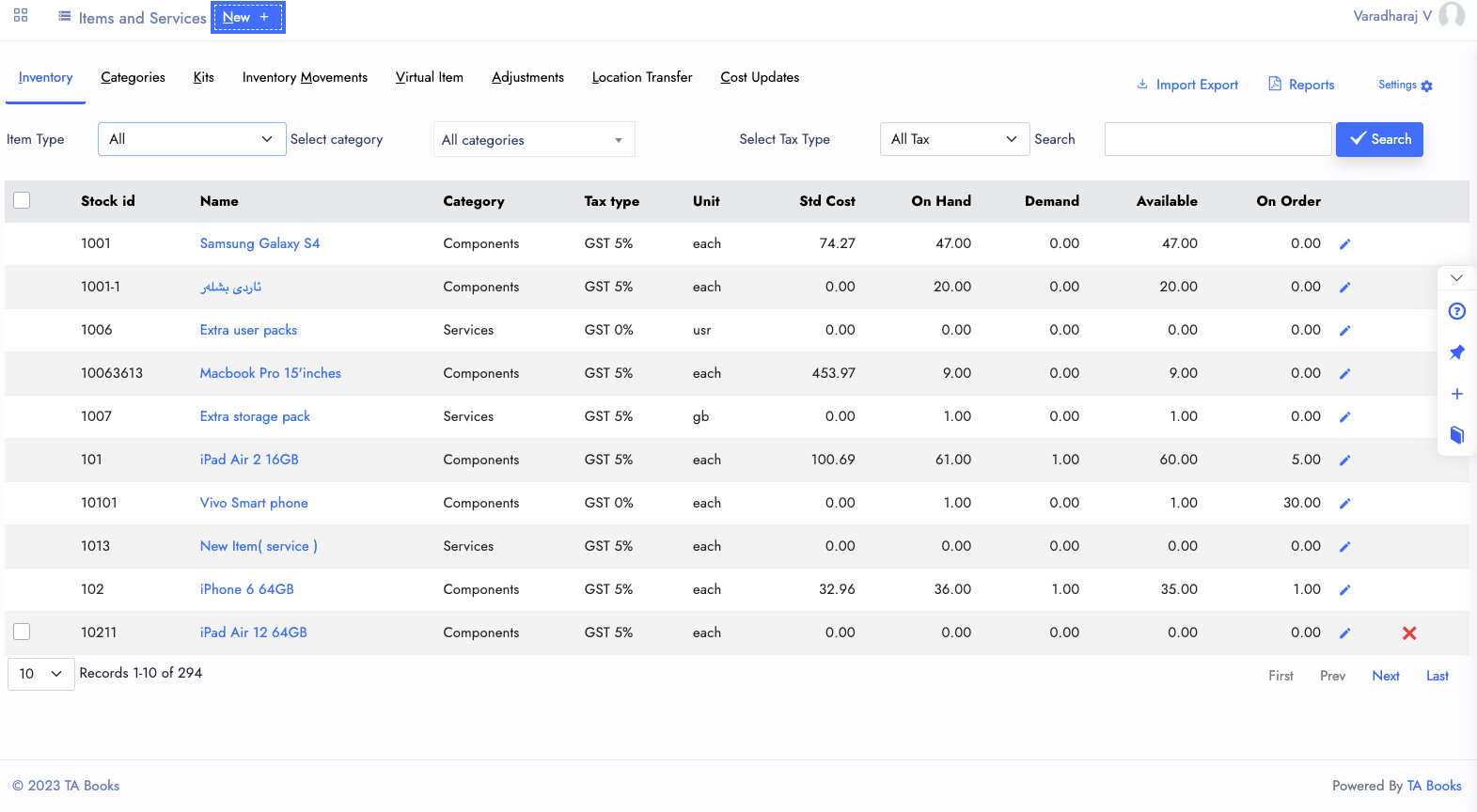
Create, Edit, Update, Transacte, Delete and Report the Items and its inventory at one place. With Inventory management you can get most selling and stagnant items and get them to do more business with most selling items.
You can Create items and inventory from the New->Item | Service button. The Inventory Inquiry will helps you to know
- Items List
- Standard Cost
- Item Tax type
- Stock Balance
- Unit
Services
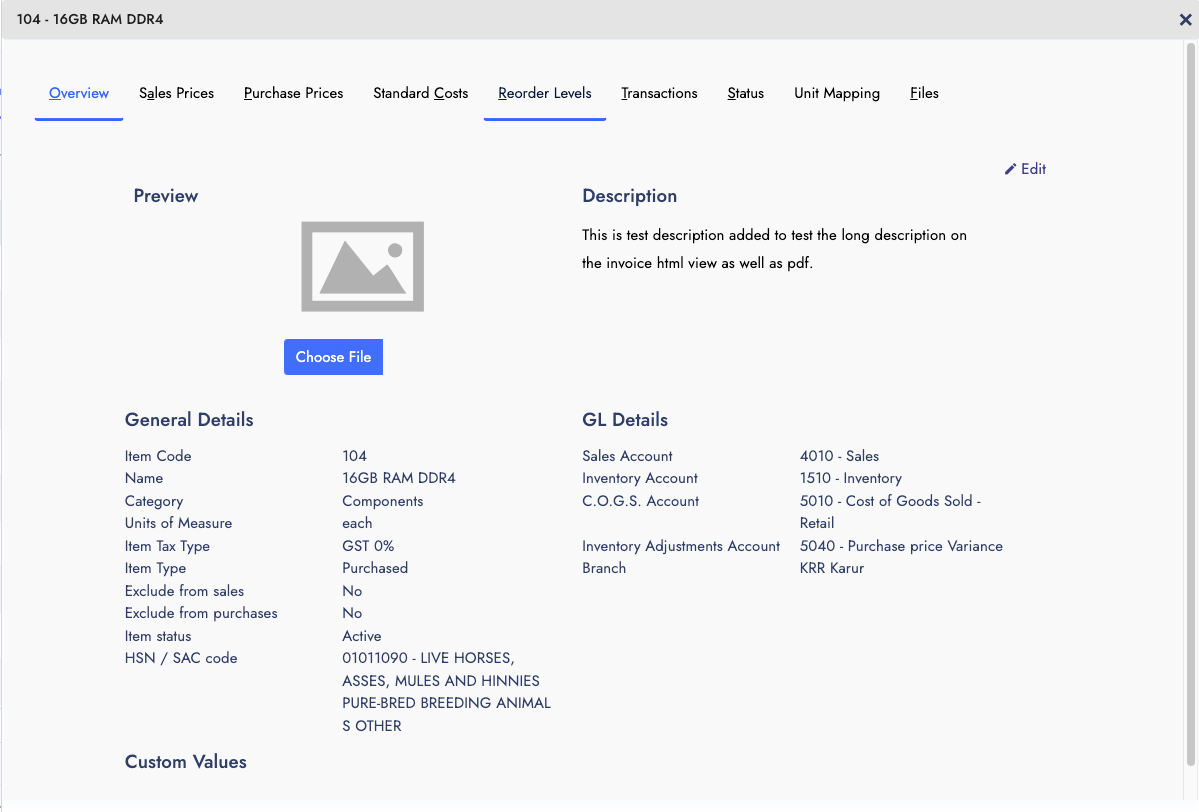
Items and Services are similar to perform sales and purchses, Whereas the only difference is to have physical availability of the goods are called inventory, If thats not available, than its service.
With Services, There is no Transactions and Status to know the movement and availability. Service will be available till you wanted to serve the customers with it.
Services such as
- Legal Service
- Accounting Service
- Consulting Service
- Health care
- Repair and Maintenance
Like that many services are there you can use it with our system.
Sales Kits & Virtual Items
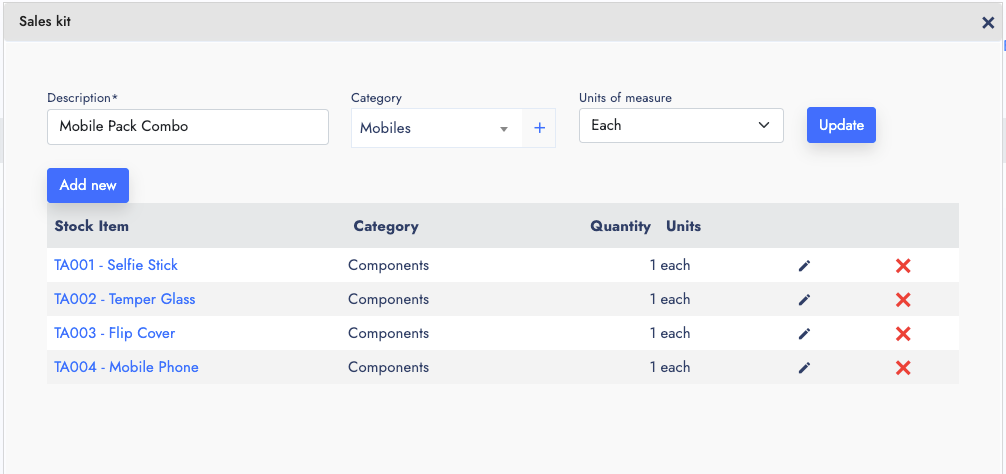
Sales Kit and Virutal Items are almost similar in nature, The Sales kit works with multiple items, Whereas the Virtual item works with only one product or service.
With sales kit you can put multiple items in a kit and sell it with name, it will be good for offers and combo plans like combine two or more products and services while selling it.
The Actually sales and Purchases happening with real product or service. But the during the transaction, we are using the virtual name and kit name.
Inventory Transfers
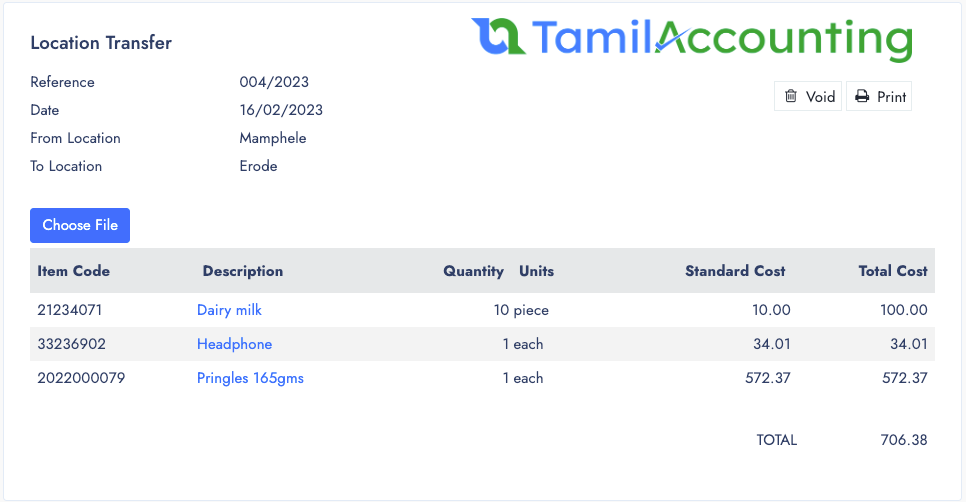
If you are operating with different inventory locations, you might need to perform the inventory transfers from one to another.
With a form you can choose the From and To locations and feed the items and the date of transfer. The system will perform the transfer from source location to the destination location.
Inventory Transfer has separate inquiry and listing to see the transfers in detail.
Also connects with Batch and expiry date to move the items along with batches and its expiration data.
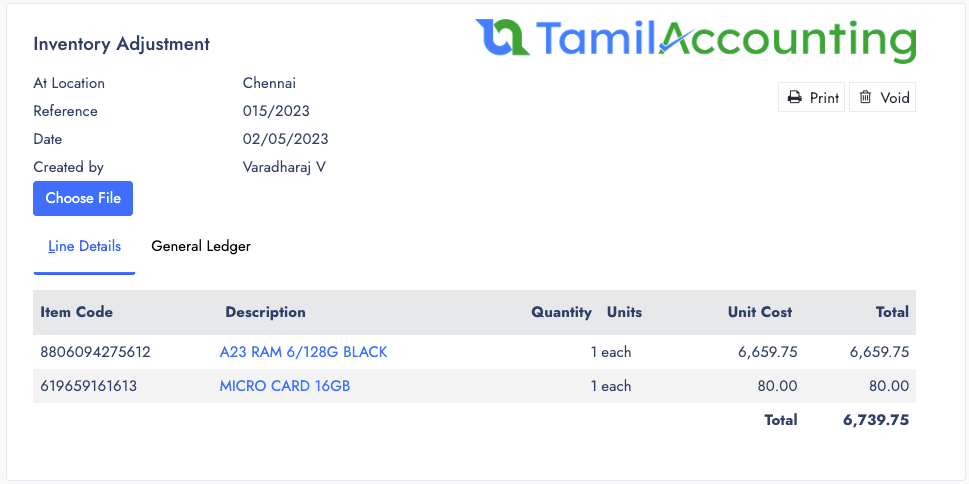
Inventory Adjustments
Adjustment helps you perform the Stock adjustment either it will help you to increase or decrease the quantity of the stock in a particular date.
This Adjustment helps during the time of initial stock balance feed. And also inventory Stock Reconcile from the physical stock and system stock.
Adjustment helps to feed the stock in a designated location and also with the particular date.
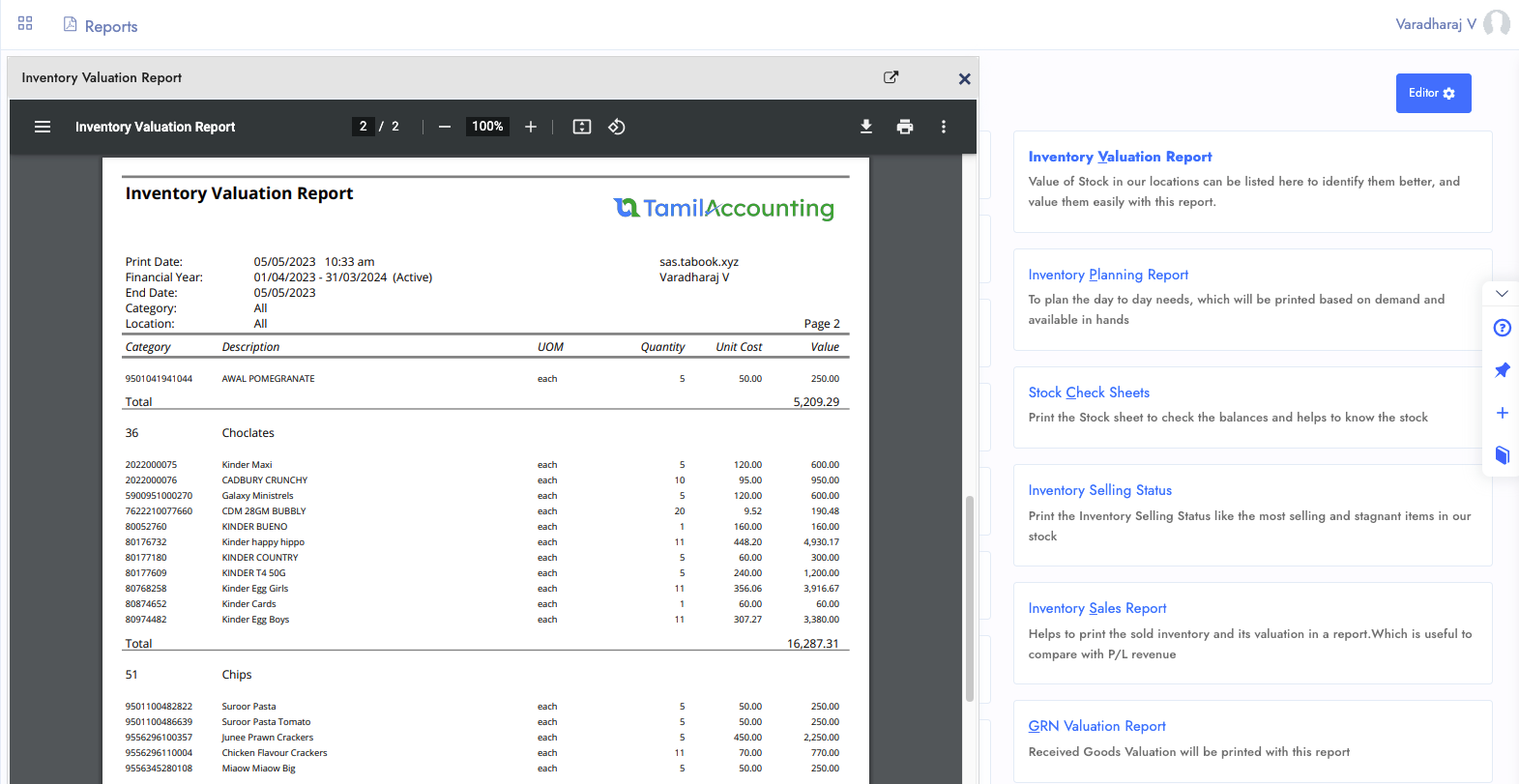
Reports
Inventory Reports helps you to valuate the stock and helps to to forecast the future sales and get the stock available before it sold completely.
- Inventory Valuation report
- Inventory Planning report
- Stock Check Sheet
- Inventory Movement
- Inventory Sales Reports
- GRN Valuation
- Inventory Purchase reports
- Costed Movement
- Adjustments
- Transfers
Features of Inventory in Short
Inventory and Services are going to be managed with below listed features.
Inventory & Stock Management
Manage physical stock across multiple warehouses and track balances in real time.
Services list Management
Create, Manage, Purchase and Sell Services alongside your physical inventory.
Virtual Items
It's an allied name of the product which is used to perform sales under a different name.
Sales Kit and Combo packs
Put multiple items together in a pack and name it for offers and combo sales plans.
Inventory Transfers
Move stock between warehouse locations with full batch and expiry date tracking.
Adjustments
Increase or decrease stock quantities for opening balances and physical stock reconciliation.
Sales & Purchase Prices
Define Sales Price, Purchase Price, and Standard cost per currency, sales type, and customer.
Batch/Serial & Expiry
Track batch and serial numbers with expiry dates across all sales and purchase transactions.
Import Items and Stock
Bulk import items and opening stock from Excel to save time during initial setup.
Images and Files
Attach product images, drawings, and quality documents directly to each item record.
Mapped Units
Define alternate units of measure mapped to your base unit for flexible buying and selling.
Reorder Levels
Set reorder levels per warehouse; the system auto-creates requisitions when stock drops below threshold.
Bills of Material (BOM)
Bills of material is a manufacturing part connected system. Which helps you to create the requirement for work orders and get them produced in it.
Separate Inquiry
You can get separate inquiry for each of the types such as Inventory transfers, adjustments, cost updates, etc.
Attachments
Files and Support documents can be attached with it from all its view popup.
Ready to manage your Inventory smarter?
Join thousands of businesses across India, UAE & GCC using TA Book