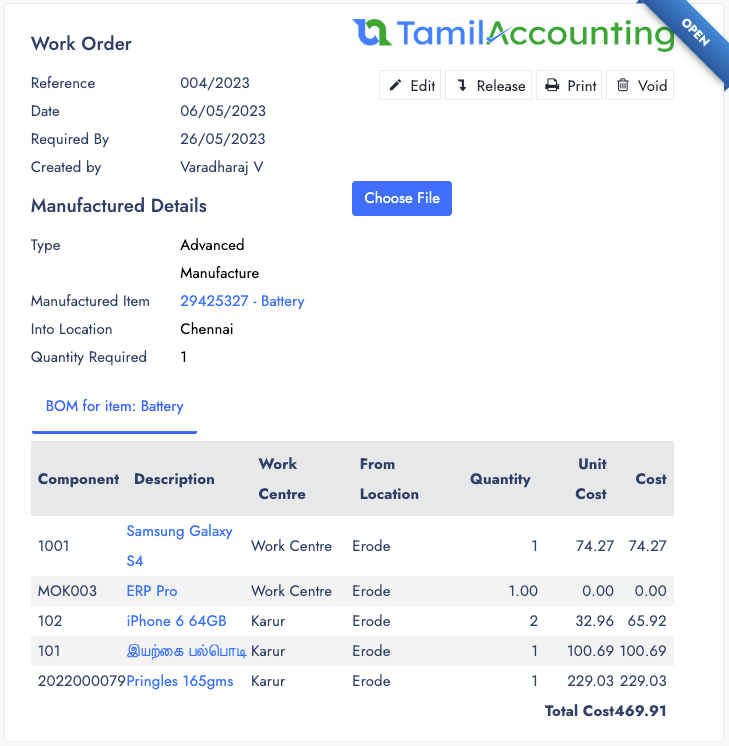
Work Orders
Each Production requires to start with a work order and with that work order you can follow the process of manufacturing.
Work order can also be initiated from the Sales order. Or you can start from manufacturing page as well with customer and sales order informations.
Work order can be classified in 3 types
- Assemble
- Unassemble
- Detailed Manufacturing
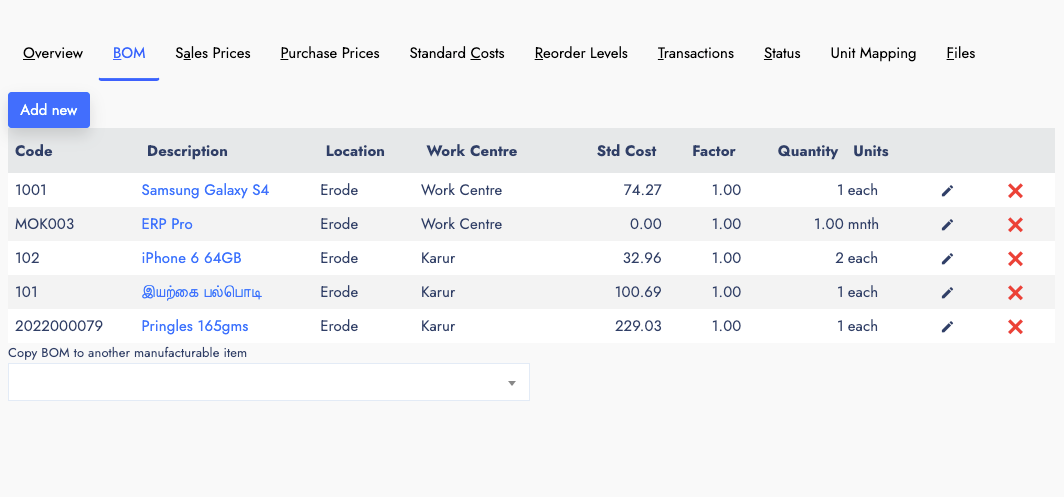
Bills Of Materials (BOM)
The BOM is a list of predefined Raw Materials which are required to produce a single product. Each Manufacturable items can be classified to add more components as BOM. You can also view the BOM on each Manufacturable items view popup. There is an option for Automatic BOM and Manual BOM from the system Preference. Which helps you to handle it more elaborated.
- Component item
- Quantity along with unit.
- Inventory Location
- Work centre
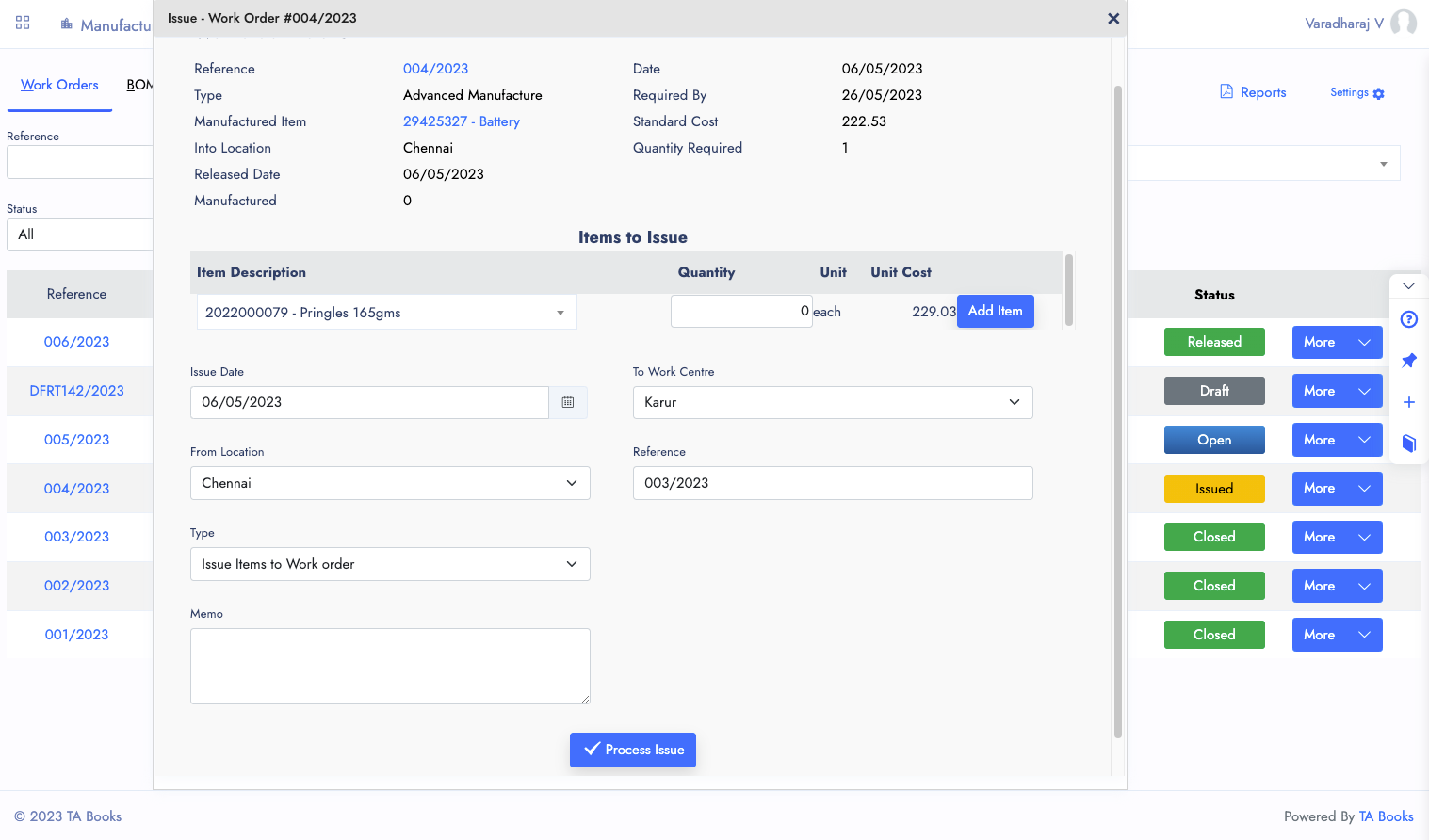
Additional Issuance
Whenever you make a custom product for a customer, it might require some additional change or added feature with it. So lets do the additional components and raw materials.
Before produce the item, we can feed the Additional items and issuance.
Additional Items are not required to use it on every work order with the item, May be required for some specific work orders.
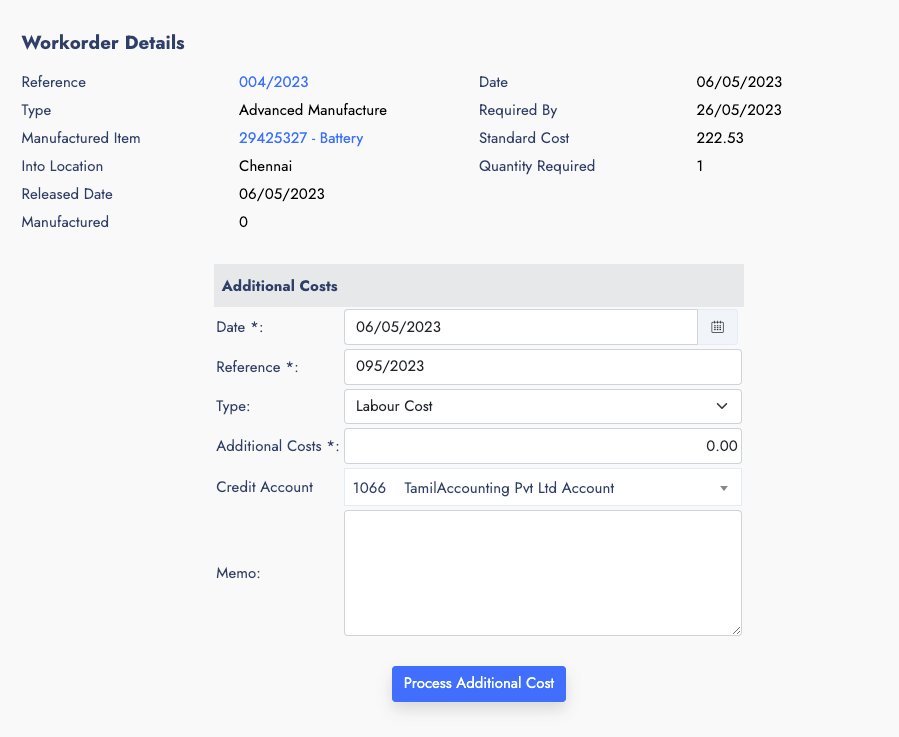
Additional Cost
There are possible to incur additional expense during the process of production or something repaired or adjusted with additional expense, Which has to be billed and added to the specific work order, Which will help us to calculate the cost of the item.
Additional Labour cost is also possible, when we require expert or consultant from outsid premises to the specific work order.
There are two types of additional costs as of now.
- Overhead cost
- Labour Cost
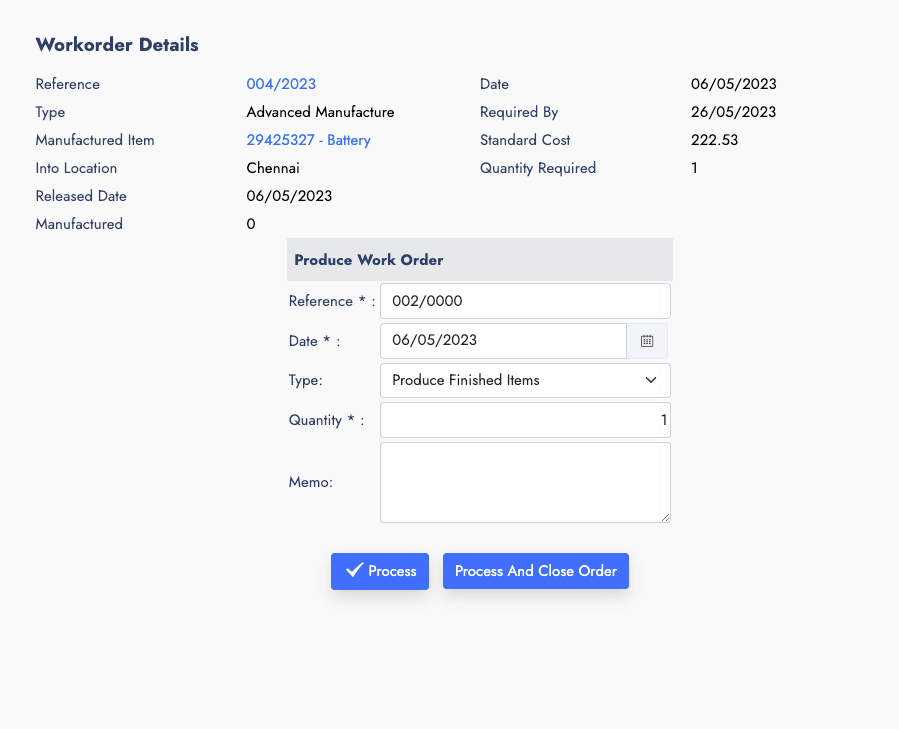
Produce Final Goods
When you are ready to finalize the produced products. You can use the final produce form to get the produced items to inventory location.
You can also produce partially, or complete work order quantity. It's upto your needs to finish it. Once you input the maximum quantity, the work order will be auto closed
Reports
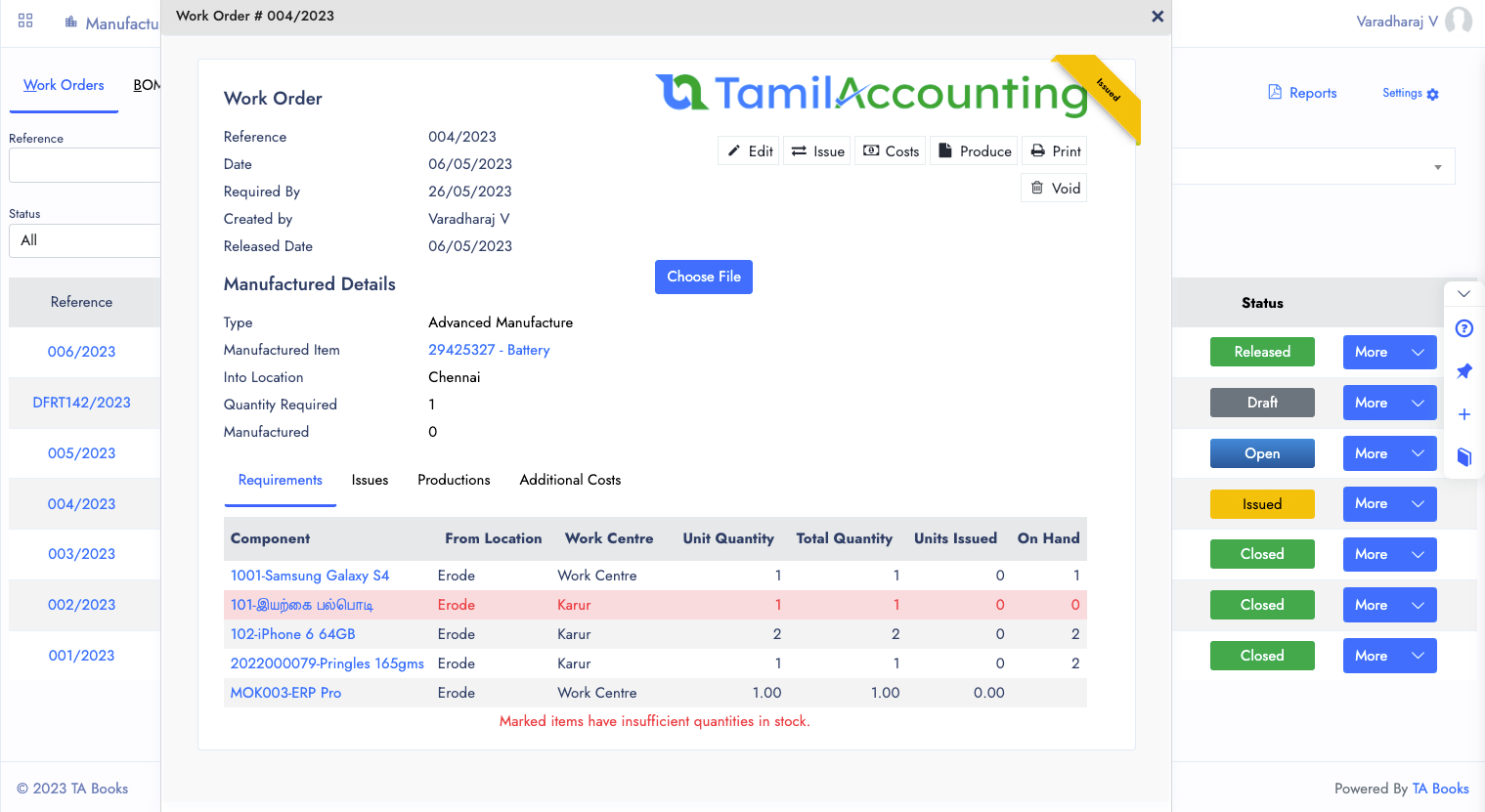
As of now Manufcaturing has Limited Reports. It has the following reports
- Work Orders List
- Bills of Materials
- Work Order issues
- The Additionals will be printed from Journal entry
- Work Order
Other Features of Manufacturing
Manufacturing also comes with several features which helps to reduce the manual works.
Work Order
Separate Work order Helps you to handle the Manufacturing Process clear and see the connected transactions.
BOM
Bills of Materials define the raw materials required to produce a single product with automatic or manual BOM options.
Additional Items
Add extra components and raw materials for custom products that require specific additions not in the standard BOM.
Additional Costs
Track overhead and labour costs incurred during production to accurately calculate the final cost of each item.
Produce
Finalize produced items to inventory location with support for partial or full quantity production per work order.
Sales Order Integration
Work orders can be initiated directly from a Sales Order, streamlining the flow from customer order to production.
Inventory Location
Each BOM component and finished goods can be linked to specific inventory locations for accurate stock management.
Manufacturing Reports
Get Work Orders List, BOM, Work Order Issues, and more reports to track the entire production lifecycle.
All in One Page
With multiple Tabs, the System designed to handle all your Manufacturing activity in one page. It will be easier for you to navigate and access it.
Multiple Transaction View
You can open Multiple transactions and also connected transactions from one to its connected transactions.
Attachments
Files and Support documents can be attached with it, no matter which popup or window you are viewing.
Ready to optimise your Manufacturing?
Join thousands of businesses across India, UAE & GCC using TA Book