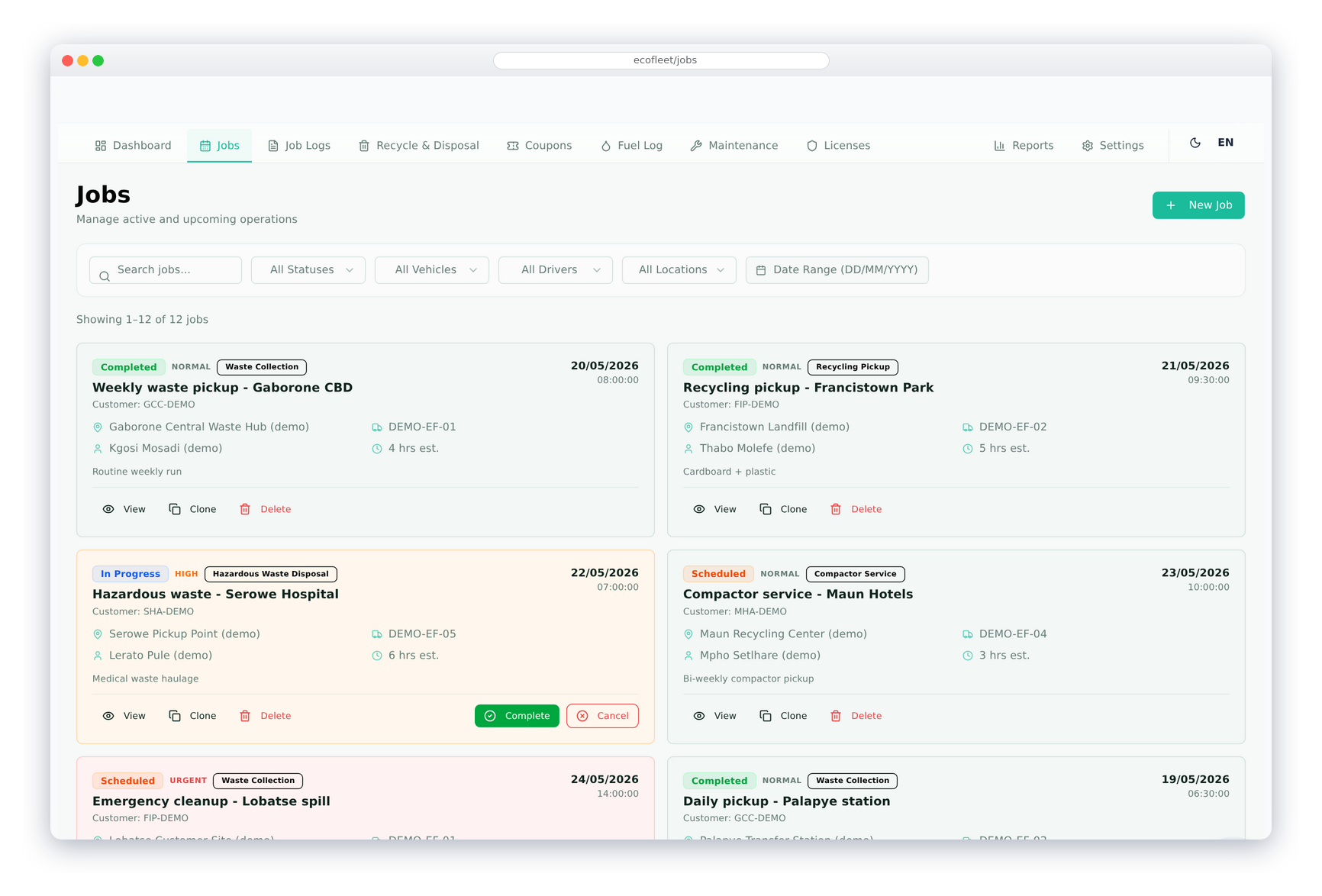
Job Entry
Create a job with title, job type, assigned vehicle, driver, start and end locations, and scheduled dates. Jobs track their status through the execution cycle. Each completed job can be linked to a customer invoice in the ERP — so revenue is captured against the job automatically.
The job inquiry screen shows all jobs with filters by vehicle, driver, status, and date range. Job invoices are managed directly from the job record — with an invoice cart to add billable items before posting to the customer account.
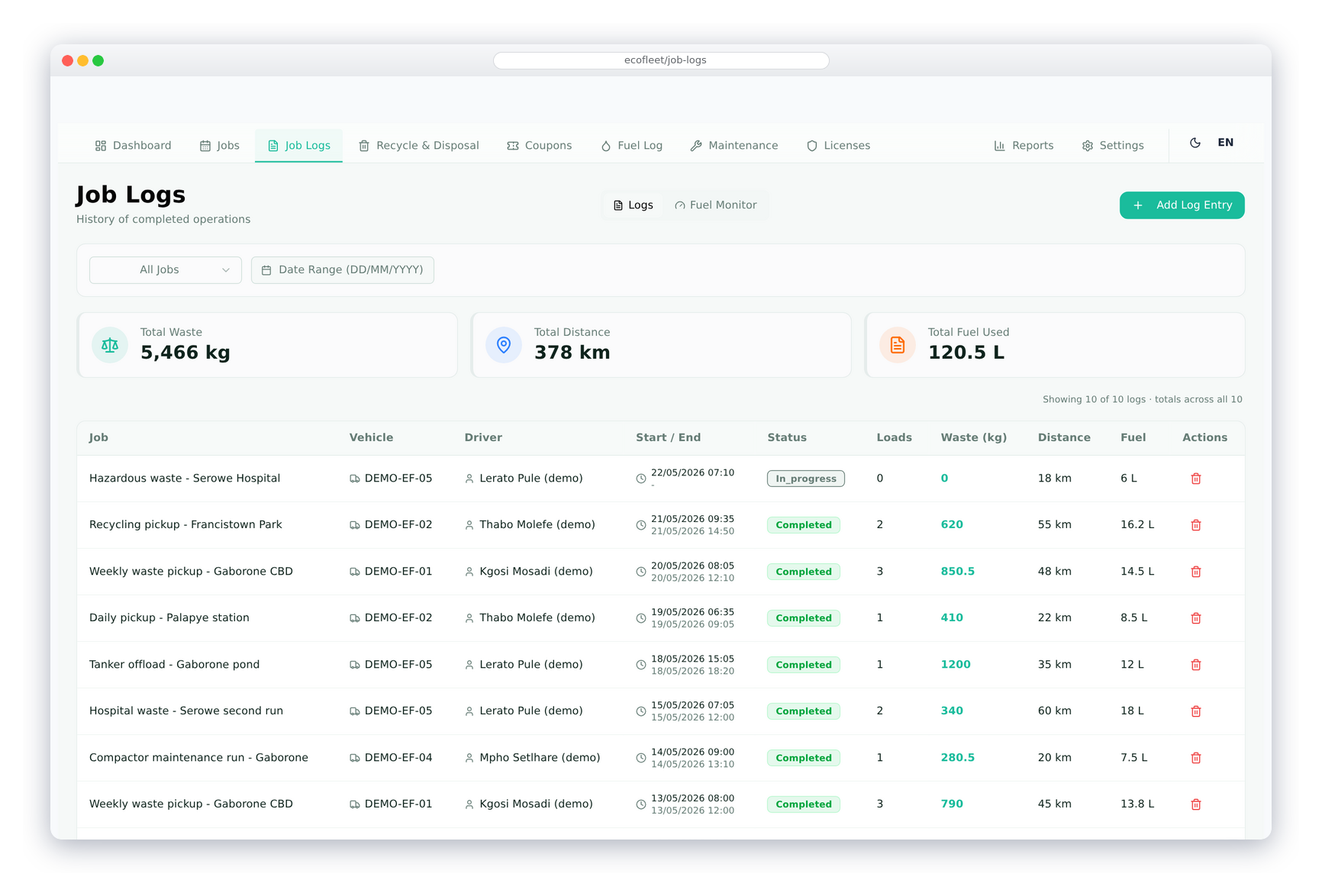
Job Log
Log the actual execution of each job — recording start and end odometer, departure and arrival time, distance in km, and fuel consumed in litres. The job log provides an accurate trip-level record of every vehicle movement linked to a job.
Distance and duration are calculated automatically from the odometer and time entries. Fuel efficiency for each trip is computed and stored, building a per-vehicle efficiency trend over time. Job logs feed the fleet-wide fuel statistics dashboard.
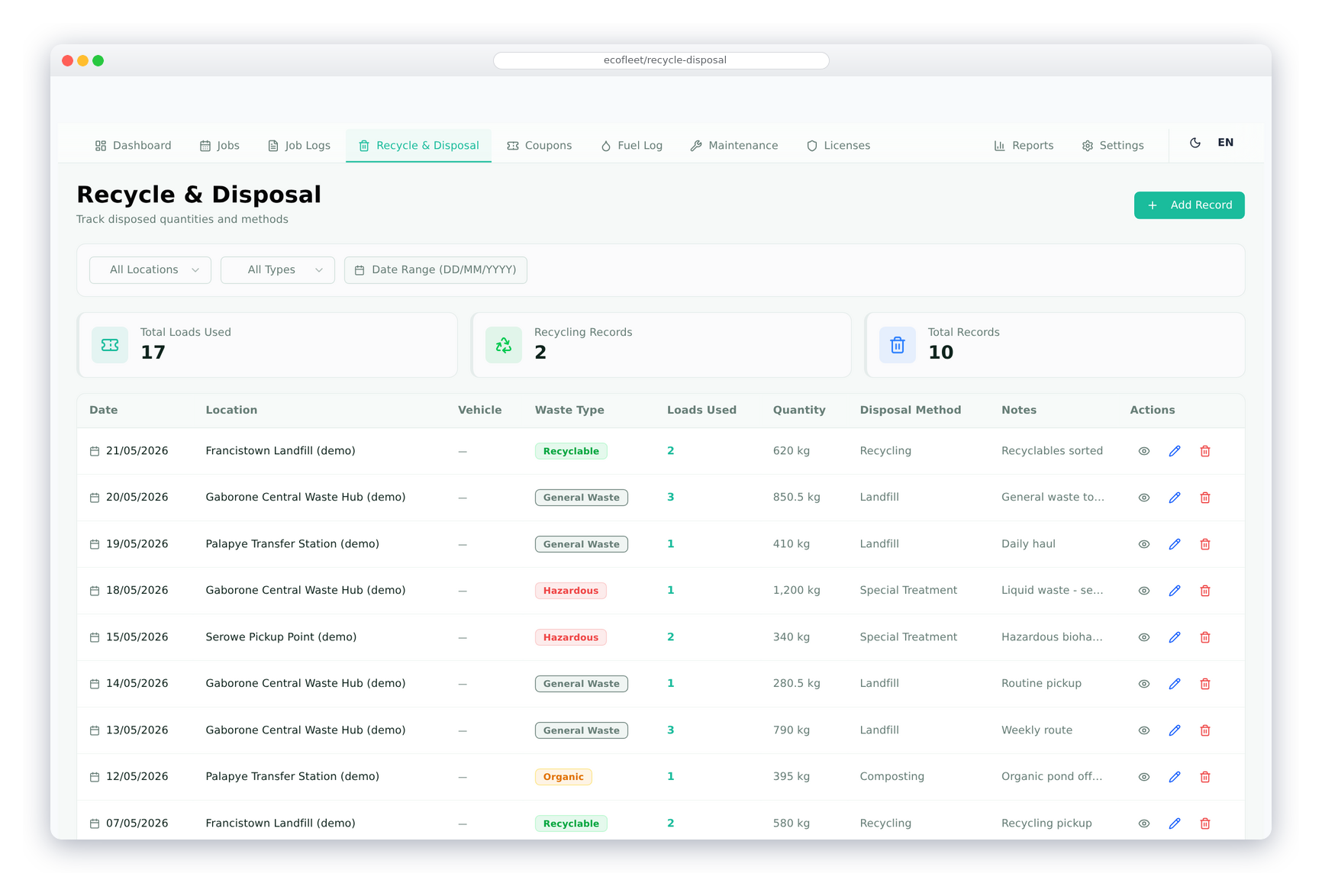
Waste Collection
Record each waste collection event against a job — capturing the collection location, vehicle, waste type, quantity, unit of measure, number of loads, and the sewage pond or disposal facility the waste was delivered to. Each collection deducts the corresponding coupon balance for that pond automatically.
Waste types and disposal methods are fully configurable. Multiple waste collections can be logged against a single job for multi-stop collection routes. The waste collection inquiry shows all collections filterable by location, waste type, vehicle, and date — giving a complete picture of collection activity.
Fuel Log
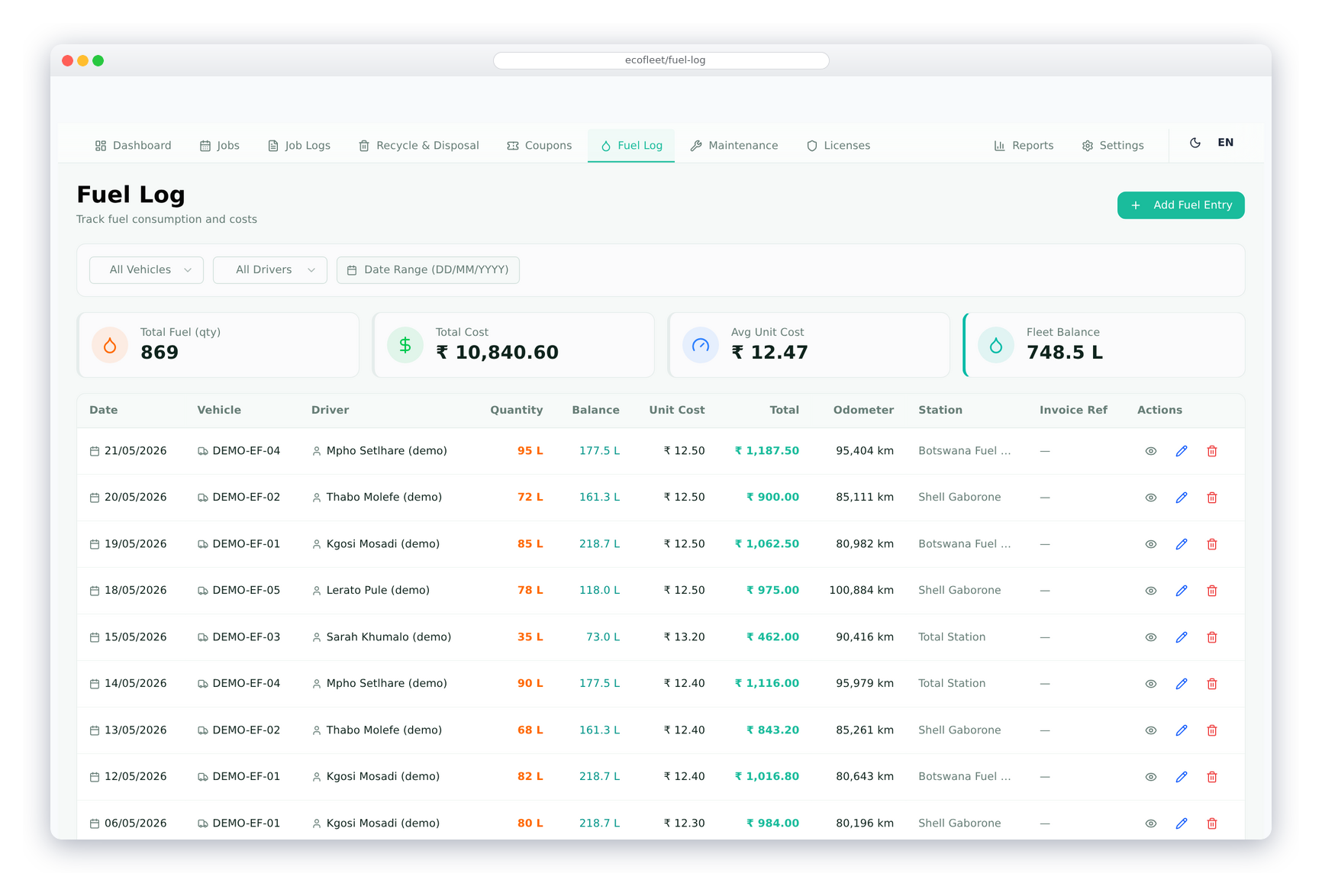
Record every fuel fill-up with the vehicle, fuel station, date, litres filled, unit price, total cost, and current odometer. Fuel efficiency (km/litre) is calculated per fill-up and tracked over time per vehicle. The vehicle's fuel balance is updated in real time with each log entry.
Each fuel log links directly to a supplier invoice in the ERP — so fuel costs are recorded as an expense automatically without double-entry. Fleet-wide fuel statistics show total consumption, average efficiency, and cost per vehicle — helping identify vehicles with above-average fuel use.
Maintenance
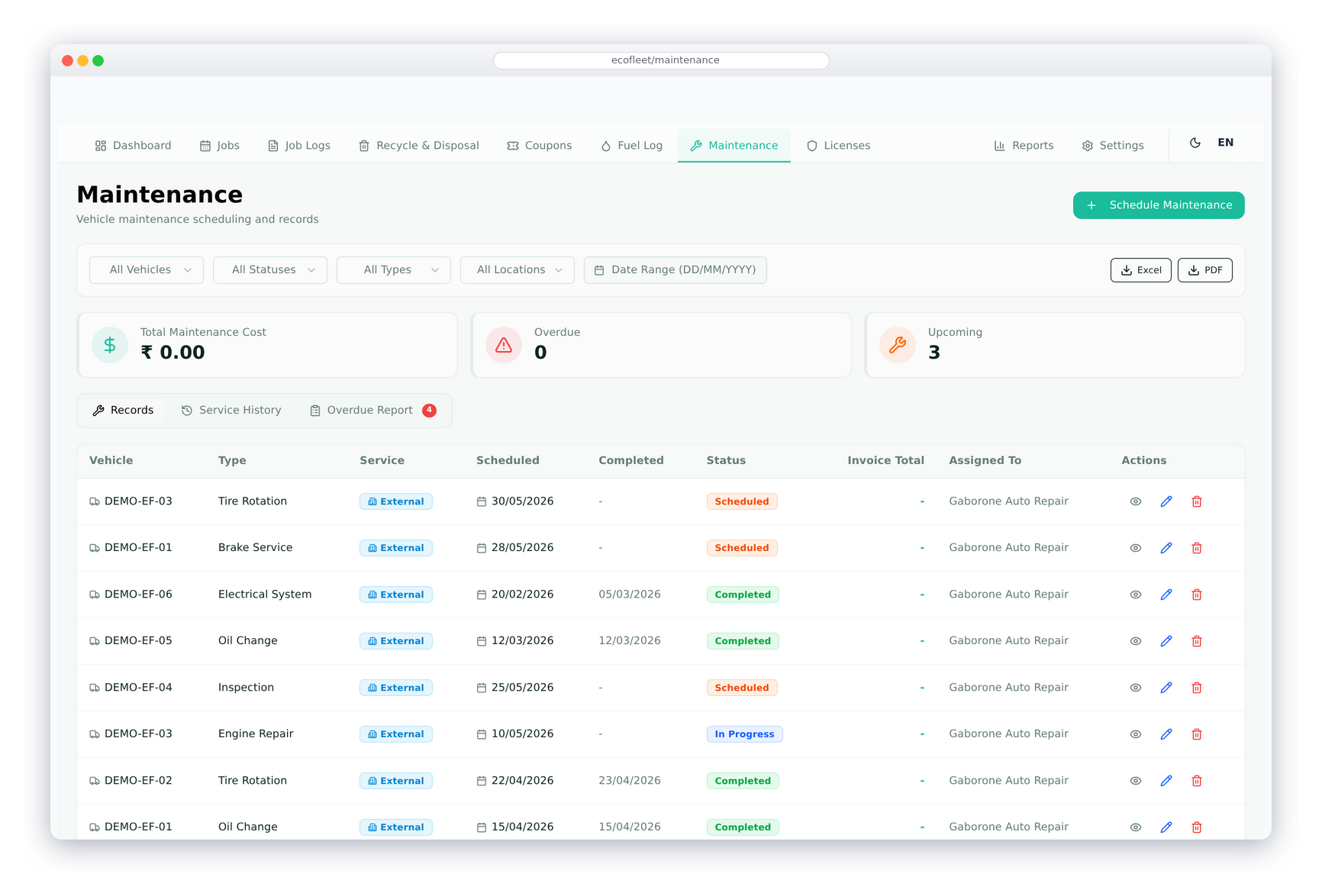
Log maintenance jobs against each vehicle — recording the maintenance type, service station, service dates (from/to), description of work done, total cost, and status. Maintenance types are configurable to match your fleet's service categories.
Maintenance costs are linked to supplier invoices in the ERP — the invoice is created directly from the maintenance record. The full maintenance history per vehicle gives a clear picture of total service cost, downtime periods, and recurring issues — supporting decisions on vehicle replacement.
Sewage Pond Coupons
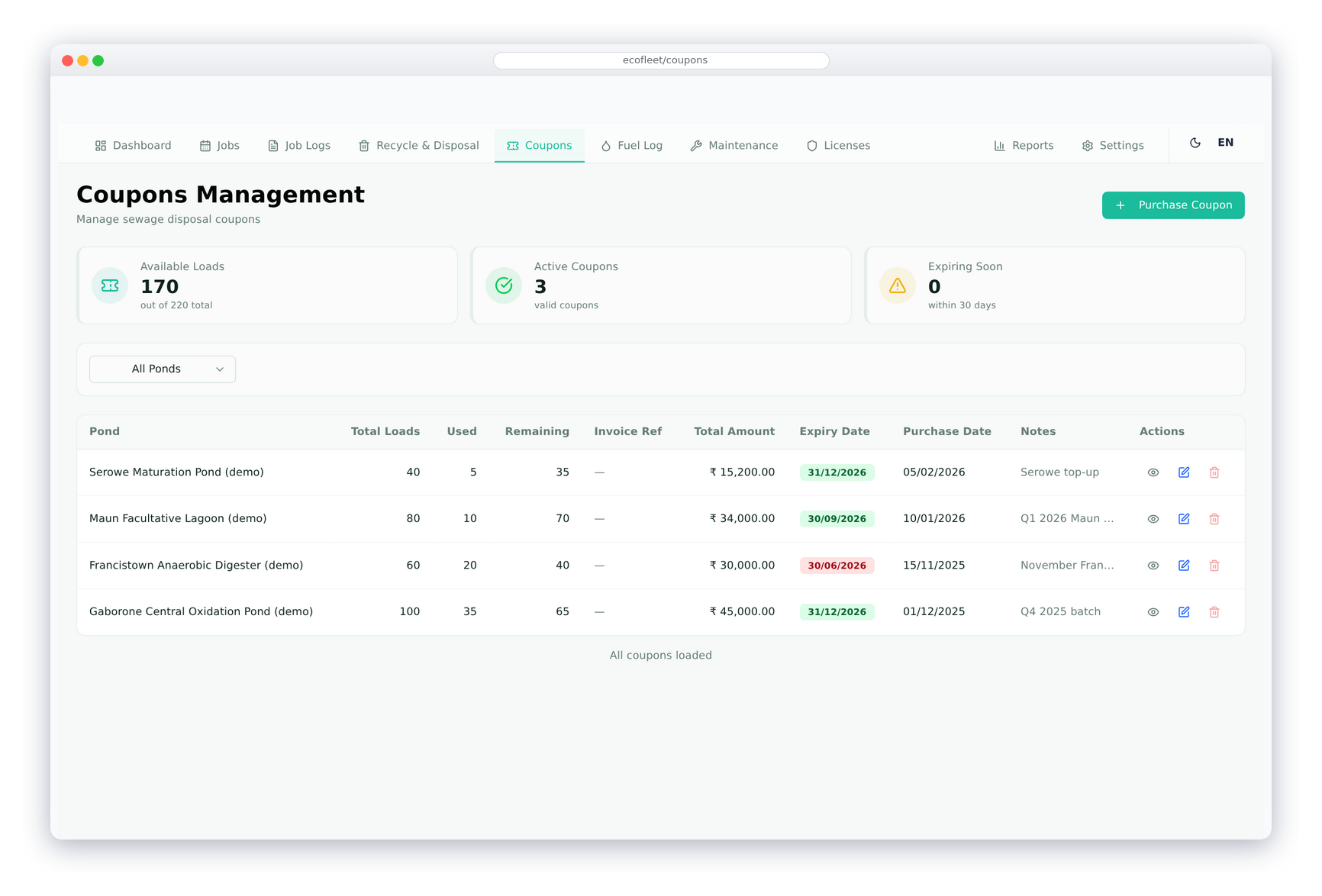
Purchase access coupons for sewage ponds or disposal facilities from suppliers — capturing total coupons, unit price, total amount, expiry date, and linking to the supplier invoice in the ERP. Each sewage pond tracks its own coupon balance separately.
When a waste collection is logged to a pond, the coupon balance for that pond is automatically reduced by the number of loads. The coupon balance dashboard shows remaining coupons per pond and per vehicle, with low-balance alerts before a pond's coupons run out. Full coupon usage history is maintained for audit and billing purposes.
Other Features of EcoFleet
Built specifically for waste management fleet operations — fully integrated with the ERP.
Vehicle Master
Manage vehicles with plate number, type, make, model, year, capacity, fuel type, and current odometer. Track insurance expiry and consumption rate per vehicle.
Driver Management
Driver profiles with licence number, licence expiry, phone, and assigned vehicle. Linked to the ERP employee record for payroll integration.
Vehicle Licence Tracking
Track multiple licence types per vehicle with issue date, expiry, and licence number. Configurable reminder days per licence type to alert before expiry.
Location Management
Define collection sites and disposal facilities with address, GPS coordinates, contact person, and type — used across jobs, waste collections, and coupon management.
Sewage Pond Management
Manage sewage ponds with capacity, current level, supplier, and unit price. Track coupon balances per pond and link to ERP supplier invoices for purchases.
ERP Invoice Integration
Fuel, maintenance, coupon, and job transactions link automatically to supplier or customer invoices in the ERP — no duplicate entry required.
Dashboard & Reports
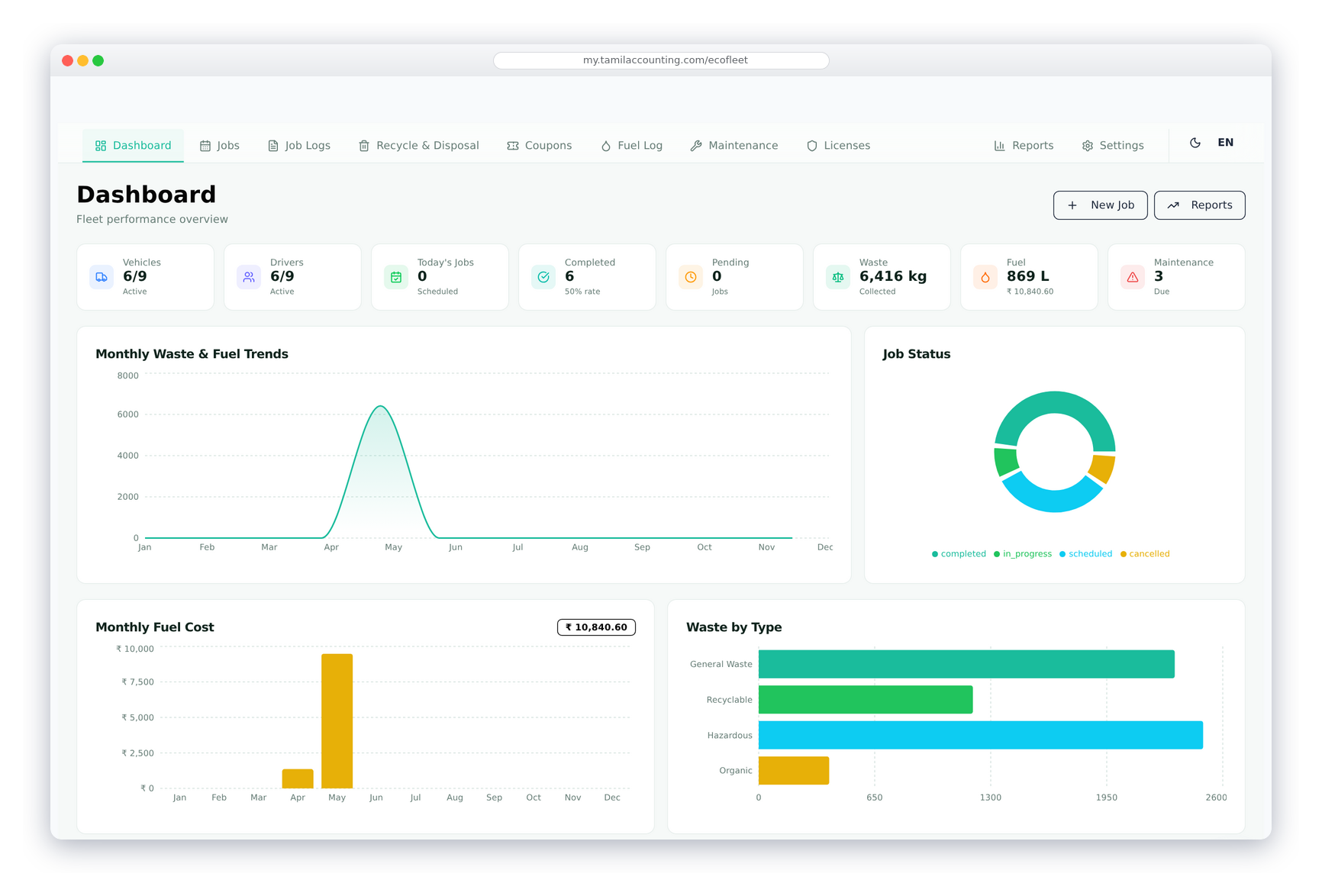
Live dashboard with fleet statistics, recent activity, and key metrics. Reports cover jobs, fuel, maintenance, waste collection, and coupon usage.
Fully Configurable
Waste types, disposal methods, job types, maintenance types, vehicle types, fuel stations, and service stations are all configurable from the settings panel.
Purpose-Built for Waste Management
EcoFleet is specifically designed for waste collection fleets — with sewage pond coupons, waste type tracking, and disposal method recording built in from the ground up.
Full ERP Integration
Jobs bill customers, fuel and maintenance charge suppliers — all via ERP invoices posted automatically. GL entries, bank accounts, and employee records are all connected.
Modern React Interface
EcoFleet runs on a fast, modern React-based frontend — giving a smooth, app-like experience for dispatchers and fleet managers accessing it from any device.
Ready to manage your Waste Fleet smarter?
Join businesses across India, UAE & GCC using TA Book