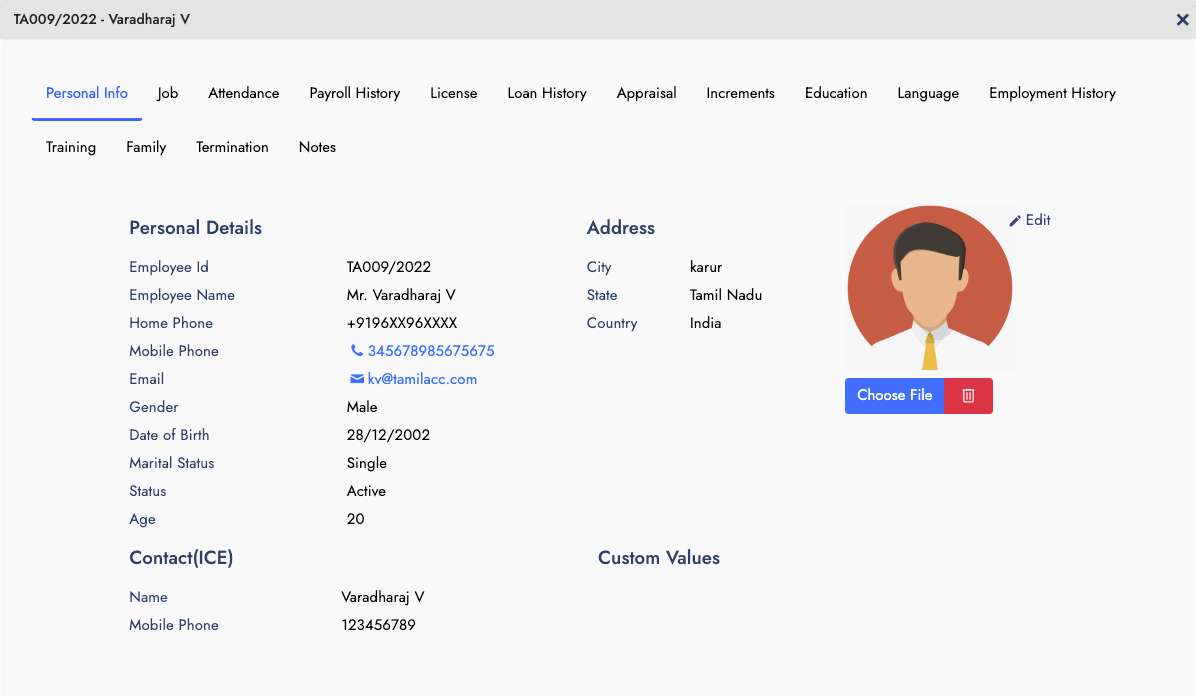
Employee Information
Each and Every employee information and their job, and other information can be stored and updated periodically. It helps to store the following information
- Personal Information
- Conact and Nominees
- Job Related
- Salary Components
- All other connected data
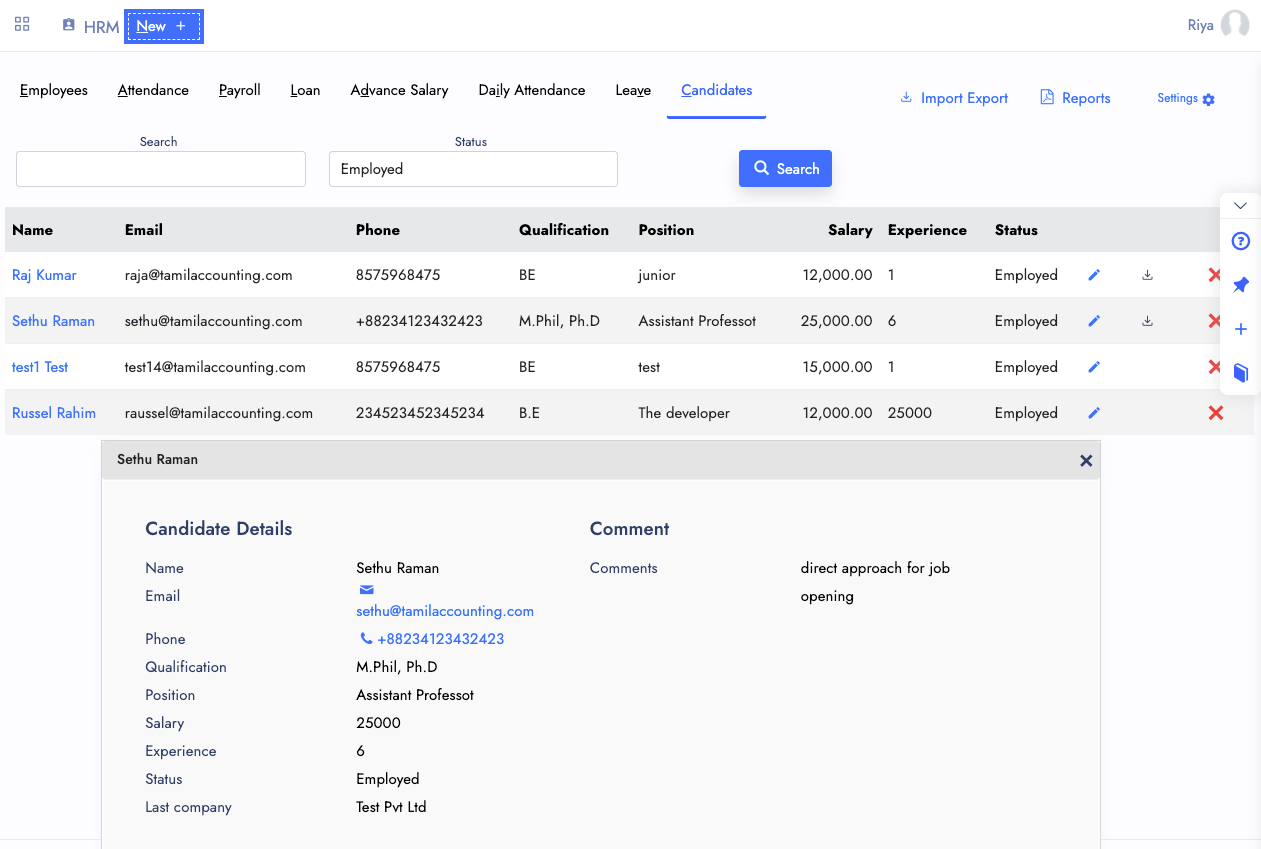
Candidates
Whenever you receive resumes from candidate, you can feed it and also there is webhook iframe integration, which helps you to add it on your website career page to capture the resumes directly to our candidates page.
With this candidates you can shortlist and call them for interview or further screening process.
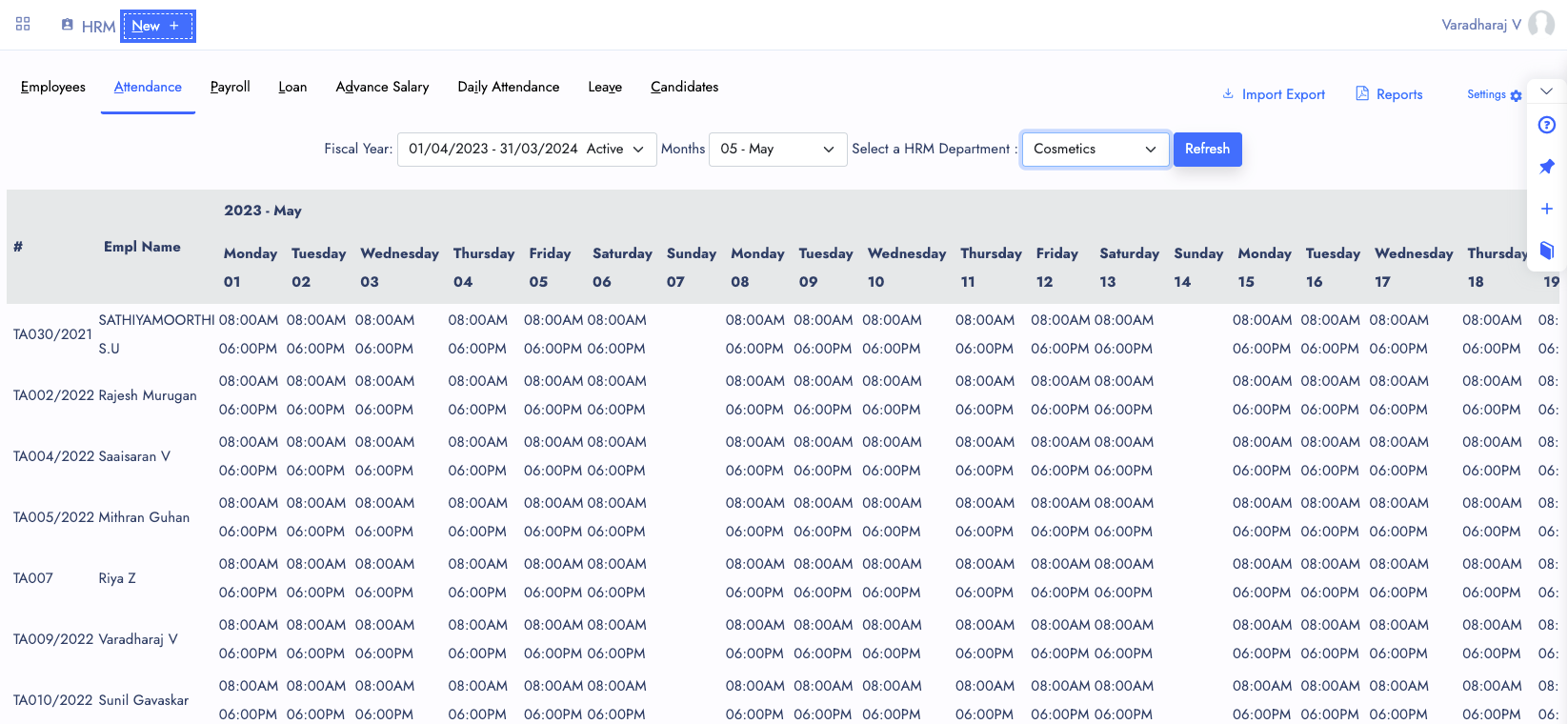
Attendance
Each day Attenance has to be recorded along with statuses such as Present, Absent, Sick leave, Annual Leave, etc. And also you can input maximum of a week level attendance along with filters of departments, employees, etc.
Payroll Processing needs this attendance information to calculate the Loss of Pay.
Attendance can be viewed in each and every employee Profile as well.
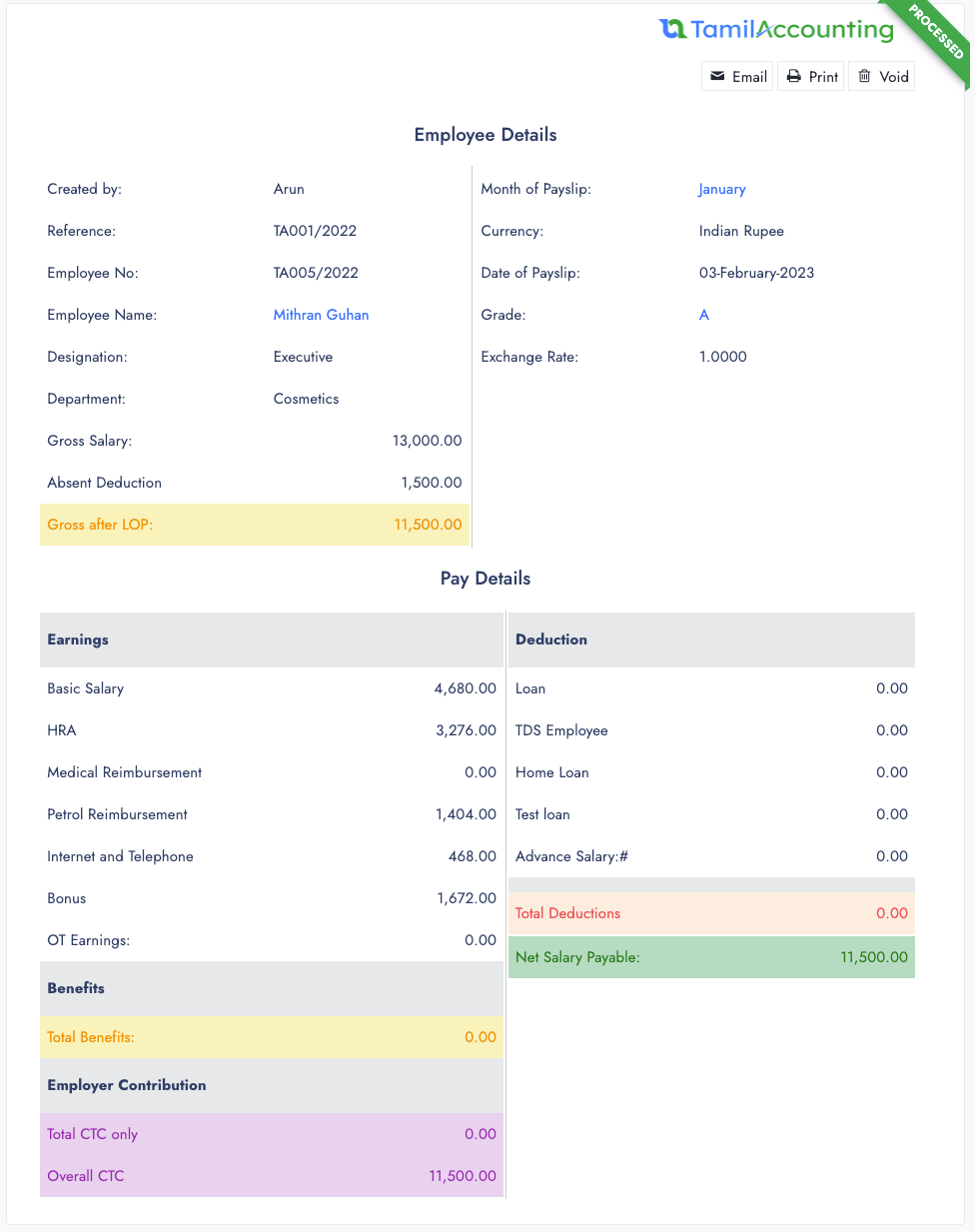
Payroll
A Group of employee Payslip has been processed to prepare the salary. It can be later used to payout bulk by selecting bank accounts and payout amount.
Payroll calculations are connected with GL. So the GL settings gets the entries in your financial statement.
From Payroll inquiry, You can perform payouts, payslips, email payslip, even modify the payslip.
Loans & Advance Salary
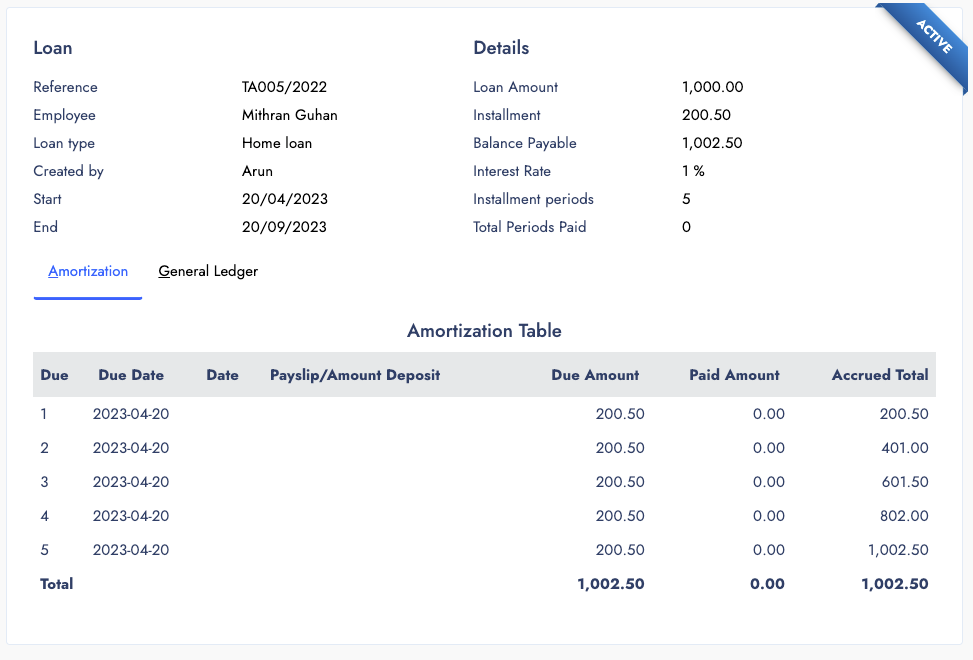
Loan and Advance salary are almost similar in meaning. Whereas the advance salary is a salary of a month received in advance. But the loan is a long term repayment, with/without interest dues. This can be deducted on employee salary and bonus.
Loan Types comes with allowance connectivity. So you can create loans and perform repayments from the payroll and payslip process.
Advance salary can be paid and deducated on the payroll calculation.
- Advance Salary
- Different Types of Loans
- Repayments
- Payslip Deductions
Leaves
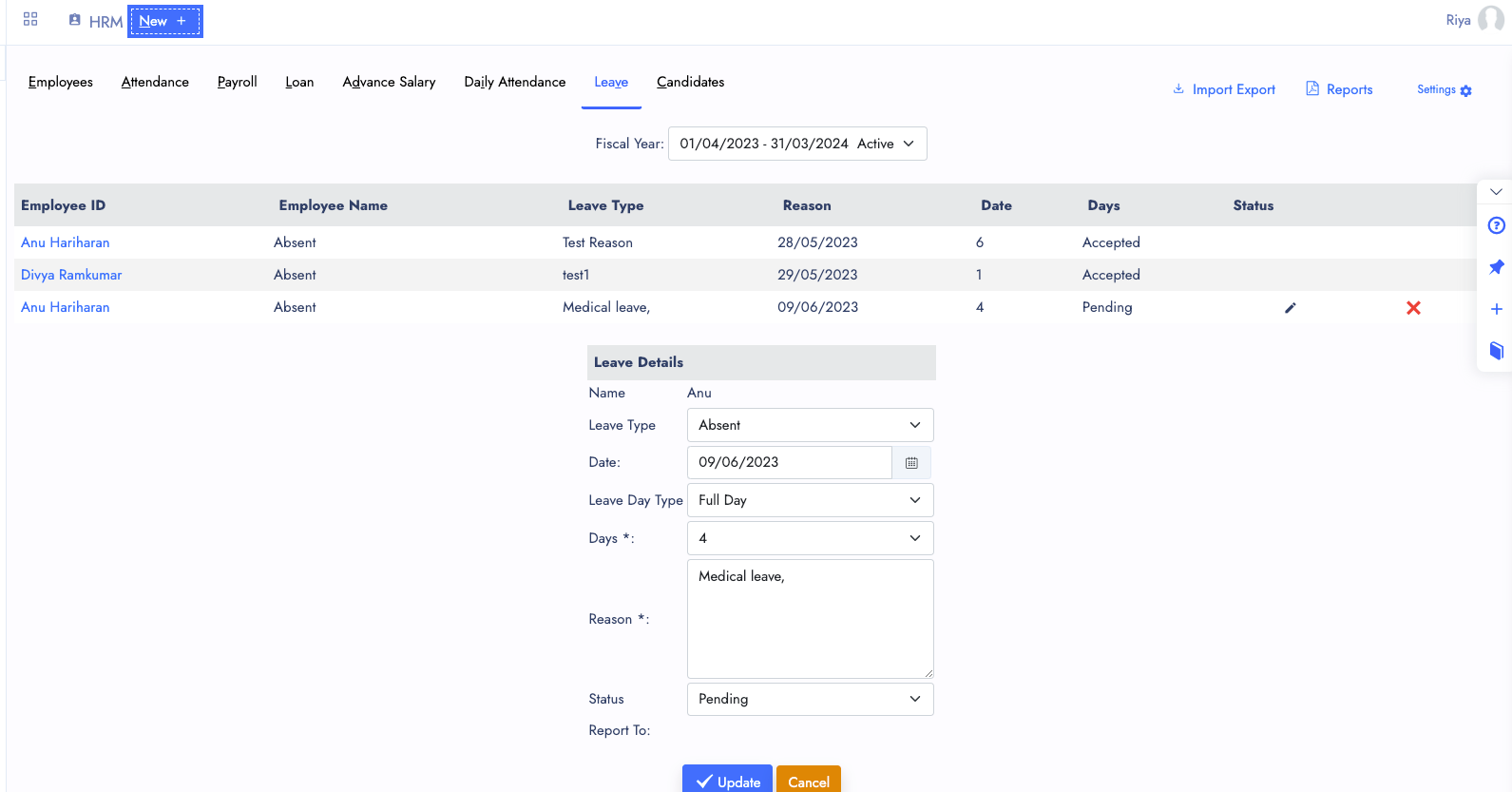
Employee Leaves are recorded to handle it with request and approval. As of now the request and approval both can be done from the backend. Once the Employee Self Servicing Portal is ready. Employees can submit their request from it.
Based on the Approved Leave date and no of days, the system will automatically feed the markings in the attendance. And it can be modified from the attendance entry form.
Available leaves and approved leaves can be monitored with it.
Reports
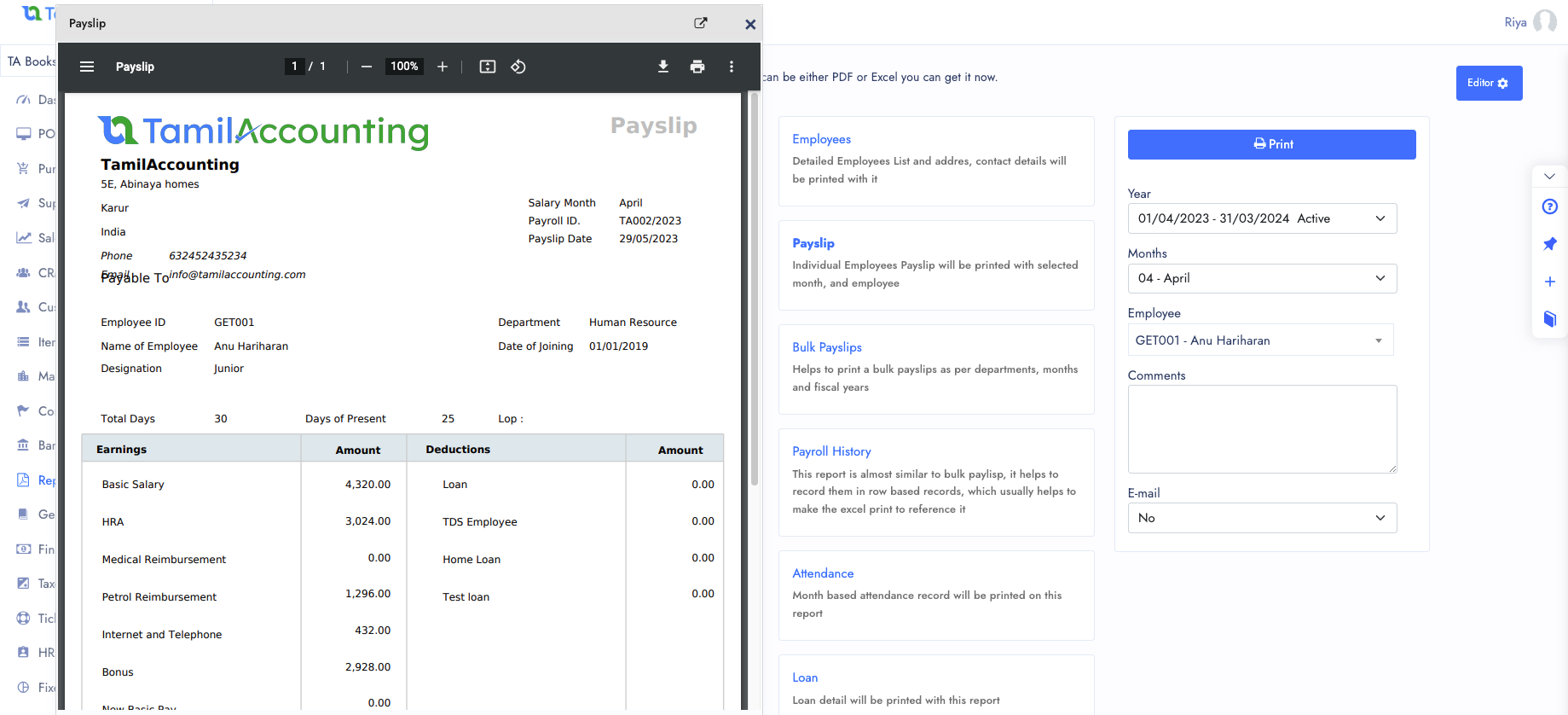
With help of HR & Payroll Report you can get several reports in both Excel and PDF.
- Payslip PDF
- Employee Listing
- Bulk Payslips
- Payroll History
- Attendance
- Loans
- Monthly Summary
- Annual Summary
- Allowances
Other Features of HRM
A perfect Solution to manage your Personnel management to utlize the human resource effectively.
Grades
Define employee grades to structure salary bands and allowance tiers across your organisation.
Allowances
Configure multiple allowance types linked to employee grades for automated payroll calculations.
Designations
Manage job designations and link them to departments, grades, and salary components.
Loan Types
Create different loan types with allowance connectivity for automated payslip deductions.
Departments
Organise your workforce into departments for better reporting and attendance management.
Shifts
Set up work shifts and link them to employees for accurate attendance and overtime tracking.
Attendance Settings
Configure attendance rules and parameters to match your organisation's working policies.
Holiday Setup
Define public and company holidays so that payroll and attendance are calculated correctly.
Taxes
Set up tax rules applicable to employee salaries for compliant payroll processing.
Insurances
Manage employee insurance contributions and deductions within the payroll workflow.
Web Candidates
Webhook iframe integration to capture resumes directly from your website's career page.
Import & Exports
Bulk import and export employee data and attendance records to save time on data entry.
All in One Page
With multiple Tabs, the System designed to handle all your Sales activity in one page. It will be easier for you to navigate and access it.
Multiple Transaction View
You can open Multiple transactions and also connected transactions from one to its connected transactions.
Attachments
Files and Support documents can be attached with it from all its view popup.
Ready to simplify HR & Payroll?
Join thousands of businesses across India, UAE & GCC using TA Book