

Discount feature that we have in our ERP already like the Percentage discount and the flat amount discount. So we are going to have these two discounts in our Coupon to apply the discount. The discount screen looks like this.
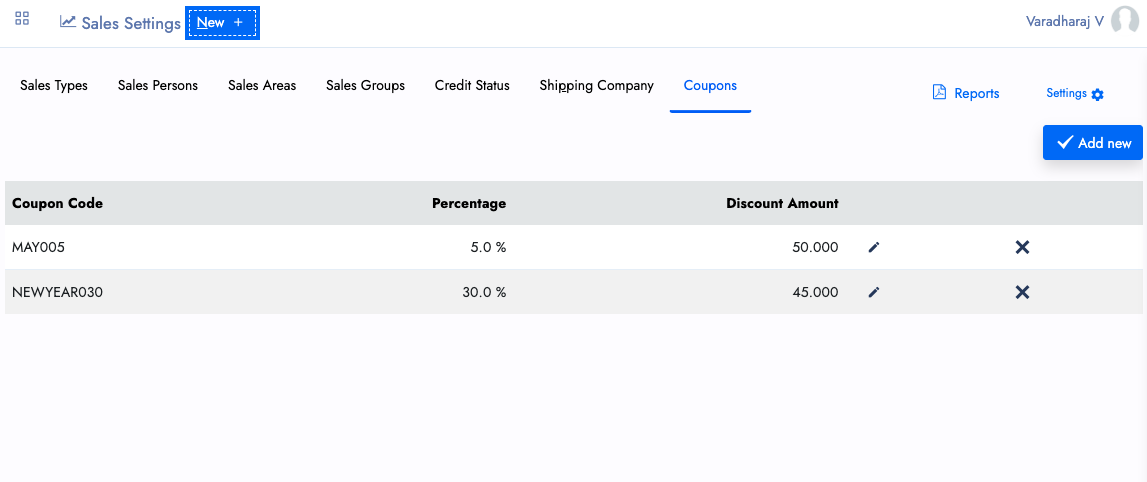
Like the above screen, you can able to create Coupons for your customers. The Coupon can be created with both Percentage and amount. or Either one you can create it. Example percentage. Flat 45% discount like that.
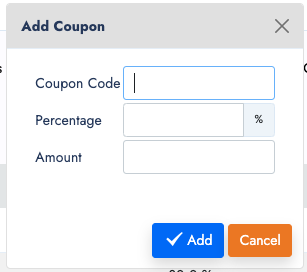
The Add new Coupon will helps you to create new coupon, with a coupon code, percentage and amount like the below image.
And this coupon applied in both Direct sales invoice and POS sales. We have a coupon drop down there. the Salesman can match the code to apply the discount for the customers.
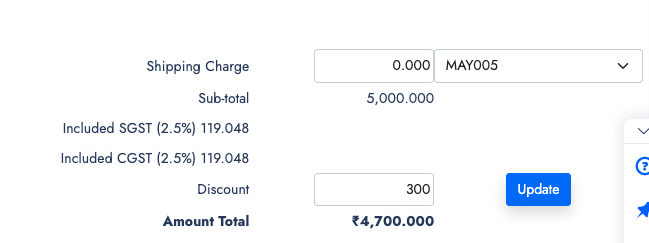
Here the 5% of 5000 will be 250 and the flat 50 Amount together its 300 discounted from the price. Like the same way we can apply in the Direct invoice form.
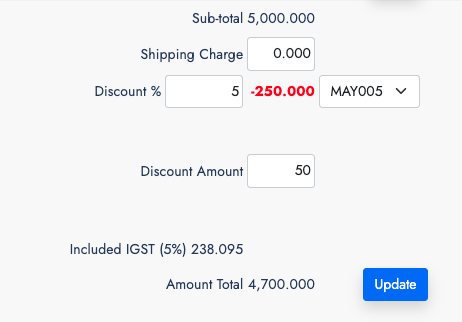
That's the way it works now. If you have suggestions to improve the Coupon, we will help you to improve it.